Best phones for seniors that are genuinely easy to use
Five phones chosen for keys you can feel, an earpiece you can hear, and a menu that does not move when you are not looking.
By Selena H. · Last checked October 13, 2026 · How we keep pages current
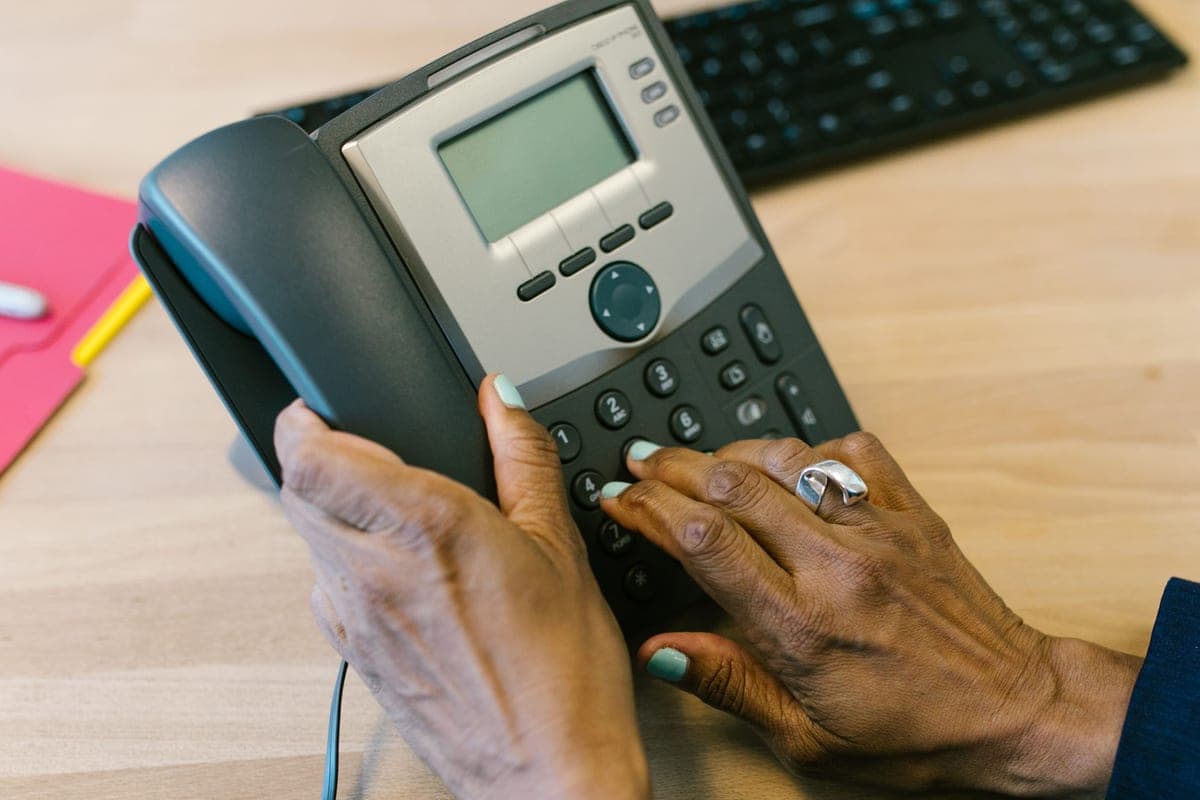
A phone is easy to use when it does the thing you expect every single time. That is a much lower bar than most of the industry aims at, and it is why a $60 flip phone often beats a $900 flagship for someone over 75. The keys click. The menu has four items. The earpiece is loud enough to hear over a kettle.
The five phones below are the ones worth your time, and they are sorted by what is actually getting in the way rather than by price. If the hands are the problem, you want physical keys and a phone that opens with one hand. If hearing is the problem, the specification to look for is hearing-aid compatibility — M4/T4 is the top rating — plus a stated decibel boost. If memory is the problem, a phone that dials from a photograph removes the hardest step in the whole process.
One thing we will say plainly: some of the best-known senior phones are not on this list as picks. Lively's Jitterbug Flip2 and Smart4, GrandPad, and the RAZ Memory Cell Phone are sold directly by their makers with their own service plans, not through the retailer we link to. They are covered further down because they genuinely matter, and we earn nothing if you buy one.
Some links on this page go to Amazon. If you buy something, we may earn a small commission at no extra cost to you — it never changes which products we pick or the order they appear in. Full disclosure.
Quick picks
Ranked for how little strength, eyesight or patience they need — not for how much they cost.
| # | Product | Best for | Score | Price |
|---|---|---|---|---|
| 1 | 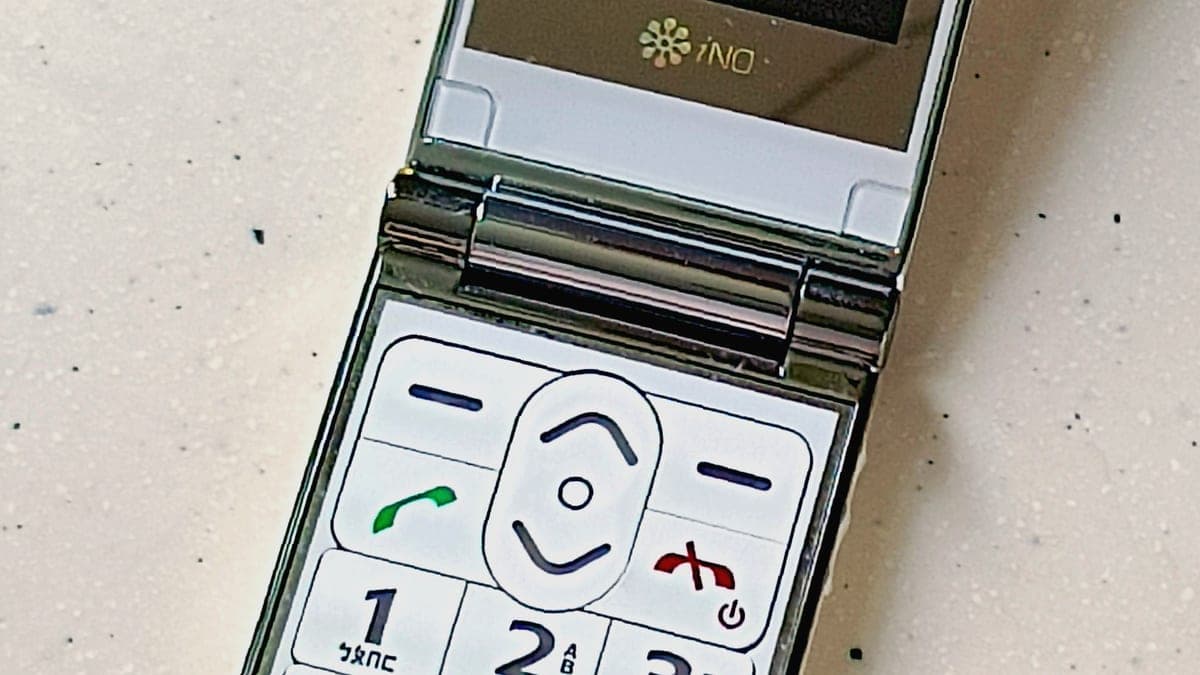 Easyfone Prime-A1 Pro Flip PhoneDials from a photograph and reads each digit aloud, which stops most wrong-number calls. | Memory loss and wrong numbers | 8.6 | Check price on Amazon #ad Prices change daily, so we send you to check today's. How we earn |
| 2 | Nokia 2780 FlipThe flip phone to buy if you want simple without buying a disposable. | A simple phone that still gets support | 8.3 | Check price on Amazon #ad Prices change daily, so we send you to check today's. How we earn |
| 3 | Easyfone T6 Big Button PhoneFour picture keys and almost nothing else — the simplest phone here by a distance. | Four people, four buttons | 8.2 | Check price on Amazon #ad Prices change daily, so we send you to check today's. How we earn |
| 4 | 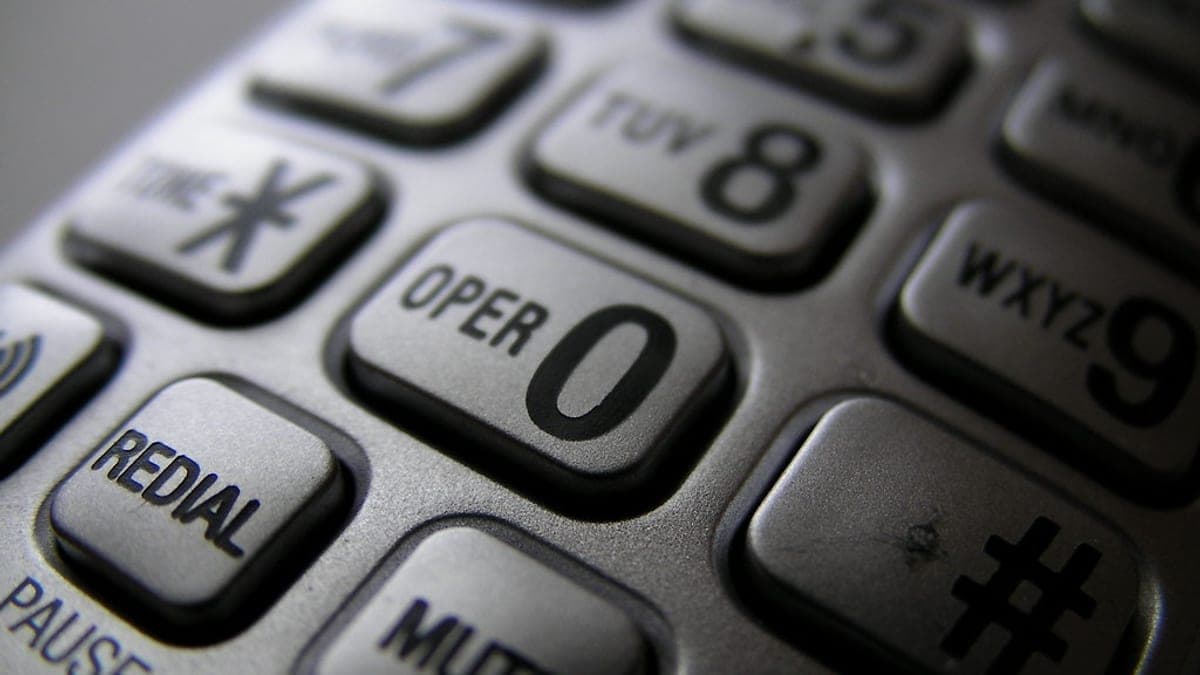 VTech SN5147 Amplified Corded/Cordless PhoneUp to 50 dB of amplification, photo speed-dial keys and a corded handset that works in a power cut. | Staying with a home phone | 8.6 | Check price on Amazon #ad Prices change daily, so we send you to check today's. How we earn |
| 5 | TCL FLIP 4The budget flip that is current rather than old stock, with the keys and the loud speaker that matter. | A cheap, current 4G flip | 8.0 | Check price on Amazon #ad Prices change daily, so we send you to check today's. How we earn |
Tap any row to jump to the full write-up. The price button goes to Amazon.
Pick by what’s hard
Most lists sort by price. That is not how this decision actually gets made, so here it is sorted by the thing that is getting in the way.
- Remembering who is who
- Easyfone Prime-A1 Pro Flip Phone — photo dialing and spoken digits mean the phone does the remembering. The Easyfone T6 does the same job with even fewer buttons if messages are not needed.
- Hearing the person on the other end
- VTech SN5147 Amplified Corded/Cordless Phone — a home phone with 50 dB of amplification outperforms every mobile on this list. If it must be a mobile, look for an M4/T4 hearing-aid rating on the box.
- Weak or arthritic hands
- Nokia 2780 Flip — a clamshell opens and closes with one hand and never needs a swipe or a long press. Avoid any phone that requires two hands to unlock.
- Eyesight that has changed
- Easyfone T6 Big Button Phone — picture keys beat large text, because a face is recognizable at a glance when a name is not. Whatever you buy, turn the system font up on day one.
- Nothing is hard yet — you just want simple
- TCL FLIP 4 — a current, cheap 4G flip does the job without becoming a project. Buy unlocked if you already have a plan you like.
How we picked
We don’t run a product lab. Every pick here is chosen by reading the things that actually tell you whether something works for weak hands, poor eyesight or shaky fingers: the manufacturer’s own specifications, the retailer listing, the measurements and weights, and what owners report in their reviews — especially the one-star ones. We read the complaints before the praise.
Prices change constantly, so we send you to Amazon to see today’s price rather than printing a number that goes stale. More about how we choose.
The picks in full
1. Best for memory loss and wrong numbers
Easyfone Prime-A1 Pro Flip Phone
Easyfone · 8.6/10 on our rubric
#ad Prices change daily, so we send you to check today's. How we earn
Dials from a photograph and reads each digit aloud, which stops most wrong-number calls.
This is the phone to buy when the problem is not strength or hearing but remembering which number belongs to whom. A dedicated photo speed-dial button puts faces on the screen, and the phone speaks each digit as it is pressed, so a mis-dial is caught before it connects rather than after a stranger answers.
The rest of it is conventional in the good sense: a clamshell body that ends calls when you shut it, an external screen for the time and caller ID so the phone does not need opening to be useful, and a charging dock you drop it into rather than a cable you have to aim.
Good
- Photo speed dial — press a face, not a number
- Speaks each digit as it is dialed, which catches errors early
- Charging dock rather than a fiddly cable
Watch out for
- Unlocked, so you still have to choose and set up a SIM plan yourself
- The photo keys need setting up once by a family member
| Type | Flip phone, unlocked |
|---|---|
| Dialing help | Photo speed dial + spoken digits |
| Screens | Internal display plus an external caller-ID screen |
| Charging | Drop-in dock |
How it scores
- Ease of dialing9.2
- Hands and grip8.6
- Hearing7.8
- Setup burden8.0
2. Best for a simple phone that still gets support
Nokia 2780 Flip
Nokia (HMD) · 8.3/10 on our rubric
#ad Prices change daily, so we send you to check today's. How we earn
The flip phone to buy if you want simple without buying a disposable.
The 2780 is the sensible middle of this market: a proper clamshell with physical keys and a dedicated emergency key, but built by a manufacturer that still issues software updates and sells spare parts. For a phone that will be used daily for several years, that matters more than any single feature.
It also keeps a few things that make a phone useful rather than merely simple — a camera, a hotspot, and the handful of apps most families actually ask for. Nothing about the menu rewards exploring, which in this context is a compliment.
Good
- Real keys with a definite click, plus an emergency key
- Supported by a manufacturer with a track record, not a one-off import
- Loud speakerphone for hands-free calls
Watch out for
- The menu is simple but not senior-specific — no photo dialing
- Carrier-locked versions are common; check before buying
| Type | 4G flip phone |
|---|---|
| Keys | Physical keypad with emergency key |
| Extras | Camera, hotspot, basic apps |
| Sold as | Unlocked and carrier versions |
How it scores
- Ease of dialing8.0
- Hands and grip8.8
- Hearing8.0
- Setup burden8.4
3. Best for four people, four buttons
Easyfone T6 Big Button Phone
Easyfone · 8.2/10 on our rubric
#ad Prices change daily, so we send you to check today's. How we earn
Four picture keys and almost nothing else — the simplest phone here by a distance.
The T6 strips the job down to its bones. Four large picture memory keys sit under the screen; press one and it calls that person. There is an SOS key on the back and a charging dock on the desk, and that is essentially the whole device.
That is exactly right for someone who has stopped using a phone because it asks too many questions, and exactly wrong for someone who still wants to send a message or look something up. Know which one you are buying for.
Good
- Four picture keys remove dialing entirely
- SOS key and a drop-in charging dock
- Clear, loud call audio for its price
Watch out for
- Very limited beyond calls — this is not a phone to grow into
- Picture keys must be programmed by someone else first
| Type | Big-button bar phone |
|---|---|
| Dialing help | Four picture memory keys |
| Emergency | Rear SOS key |
| Charging | Drop-in dock |
How it scores
- Ease of dialing9.4
- Hands and grip8.2
- Hearing7.6
- Setup burden7.6
4. Best for staying with a home phone
VTech SN5147 Amplified Corded/Cordless Phone
VTech · 8.6/10 on our rubric
#ad Prices change daily, so we send you to check today's. How we earn
Up to 50 dB of amplification, photo speed-dial keys and a corded handset that works in a power cut.
Not everyone needs a mobile. If the phone lives on a table and the problem is hearing it, a home phone built for hearing loss beats any cell phone, and this is the one families keep coming back to. VTech lists Audio Assist at up to 50 dB of boost, there is a very loud ringer, and the big photo dial keys work the same way the picture keys on a senior mobile do.
The corded base is the quiet advantage: when the power goes out and the cordless handsets die, a corded phone on a landline usually still works. For a household worried about emergencies, that is worth more than a feature list.
Good
- Up to 50 dB amplification, per VTech's own specification
- Photo speed-dial keys and an extra-loud ringer
- Corded handset keeps working when the power does not
Watch out for
- Needs a landline — it is not a replacement for a mobile
- Call blocking takes a few minutes to set up properly
| Type | Corded base plus cordless handsets |
|---|---|
| Amplification | Up to 50 dB (manufacturer listing) |
| Dialing help | Photo speed-dial keys |
| Extras | Answering system, smart call blocker |
How it scores
- Ease of dialing8.8
- Hands and grip8.4
- Hearing9.4
- Setup burden7.8
5. Best for a cheap, current 4g flip
TCL FLIP 4
TCL · 8.0/10 on our rubric
#ad Prices change daily, so we send you to check today's. How we earn
The budget flip that is current rather than old stock, with the keys and the loud speaker that matter.
There is a trap at the bottom of this market: very cheap flip phones that are several years old and running on networks that are being switched off. The FLIP 4 avoids it by being a current model on 4G, with the things that make a flip phone worth having — tactile keys, a lid that ends the call, and a speakerphone loud enough to use on a counter.
Expect no frills. The screen is small, the camera is an afterthought, and the menu is plain. For a spare phone, a first phone back after a smartphone has defeated someone, or a phone that lives in a handbag for emergencies, that is the right set of compromises.
Good
- Current 4G model rather than discontinued stock
- Loud speakerphone and a definite key click
- Cheapest sensible way into a flip phone
Watch out for
- Often sold tied to a prepaid carrier — check before buying
- No photo dialing or senior-specific menu
| Type | 4G flip phone |
|---|---|
| Keys | Physical keypad |
| Best use | Spare, backup or first simple phone |
| Sold as | Prepaid and unlocked versions |
How it scores
- Ease of dialing7.8
- Hands and grip8.4
- Hearing7.8
- Setup burden8.0
What to check before you buy
- Hearing-aid rating. M3/T3 is acceptable; M4/T4 is the best available and is printed on the box or in the listing.
- Whether it is locked. A locked phone ties you to one carrier's plan, which usually costs more over two years than the phone did.
- Emergency button behavior. Some dial 911, some dial a list of family numbers, some need a paid service. They are not interchangeable.
- Charging method. A drop-in dock is easier than a cable for shaky hands, and it means the phone is always in the same place.
- Whether anyone will set it up. Picture keys, contacts and font size all need doing once. If nobody will do it, buy a phone that is useful out of the box.
The phones we did not pick, and why
Lively's Jitterbug Flip2 and Smart4 are the best-known senior phones in the United States and they are genuinely good: a simple list menu, a dedicated urgent response button, and an M4/T4 hearing-aid rating on the Flip2. They are sold by Lively with their own service plans rather than through the retailer we link to, so they are not picks here. If a 24/7 response button is the main reason you are buying a phone, look at them directly — we earn nothing either way.
The RAZ Memory Cell Phone is the strongest dementia-specific phone on the market, with a single screen of photographs and no way to get lost. It is sold through RAZ Mobility and Lively rather than the retailer we use, and it is covered in full on our dementia phones page.
GrandPad is a tablet with a service plan rather than a phone, and it belongs in the tablet comparison instead.
Questions people ask
▸What type of cell phone is best for seniors?
The one that matches the constraint. Weak hands: a flip phone with real keys. Hearing loss: an M4/T4 rated phone or an amplified home phone. Memory loss: a phone that dials from photographs. Screen size alone decides very little.
▸What is the simplest cell phone for seniors?
A picture-key phone like the Easyfone T6 is the simplest sold today: four faces, press one, it rings. There is no dialing, no menu to get lost in and no apps. The trade-off is that it does very little else.
▸Which phone is best for someone who is hard of hearing?
Look for hearing-aid compatibility rated M4/T4 and a stated amplification figure. At home, an amplified phone such as the VTech SN5147 boosts incoming volume by up to 50 dB, far beyond what a standard mobile can do.
▸Do seniors need a special phone plan?
No, but check what you are signing. Phones sold by senior-focused brands usually require that brand's plan. An unlocked phone works on ordinary prepaid plans, which are often cheaper for someone who mostly receives calls.
▸Is a flip phone better than a smartphone for an older adult?
It is better when calls are the whole job. A flip phone has keys you can feel, ends calls when you shut it, and cannot be reconfigured by accident. A smartphone is better when family photos or messaging apps are part of daily contact.
Sources
Read next
Best big-button keys
Best large button cell phones for seniors
Phones with physical keys big enough to find without looking, including two with spoken digits.
Read the guide →
Best flip phone
Best flip phones for seniors
Current 4G flip phones worth buying, ranked for one-handed use, key feel and call volume.
Read the guide →
Best for memory loss
Best phones for someone living with dementia
Picture-dialing phones and locked-down handsets that keep working as memory changes.
Read the guide →
Guide
What to look for in a phone for an older adult
The buying checklist: what to verify before spending, and the traps in the listings.
Read the guide →
Best amplified phone
Best amplified phones for hard of hearing seniors
Amplified home phones ranked by boost, ringer volume and how usable the keypad is.
Read the guide →
Best overall gift
Best gifts for elderly parents
The broadest gift guide here, grouped by independence rather than price.
Read the guide →