Best tablets and devices for video calling
The best video-calling device is the one that rings loudly and can be answered by pressing anywhere.
By Selena H. · Last checked October 13, 2026 · How we keep pages current

Most failed video calls fail at the same moment: the call arrives, the device is asleep on a shelf, and by the time anyone has found it and worked out which green circle to press, it has stopped ringing. Camera quality has nothing to do with it.
So the ranking below is built on three questions. Does the device sit upright and awake where it can be heard? How many actions does answering take? And can a family member start the call from their end without the person at home doing anything at all?
That last question is why a smart display outranks a tablet for some households. A device that family can "drop in" on, so the screen simply lights up and the conversation starts, removes answering from the equation entirely — at the cost of a privacy trade-off you should make deliberately rather than by accident.
Some links on this page go to Amazon. If you buy something, we may earn a small commission at no extra cost to you — it never changes which products we pick or the order they appear in. Full disclosure.
Quick picks
Ranked for how little strength, eyesight or patience they need — not for how much they cost.
| # | Product | Best for | Score | Price |
|---|---|---|---|---|
| 1 | Amazon Echo Show 8Sits upright, always on, and family can drop in without anyone pressing anything. | Calls that answer themselves | 8.9 | Check price on Amazon #ad Prices change daily, so we send you to check today's. How we earn |
| 2 | Apple iPad (A16, 11-inch)The best picture and sound of the lot, and the fewest app arguments in an Apple family. | Families already on FaceTime | 8.2 | Check price on Amazon #ad Prices change daily, so we send you to check today's. How we earn |
| 3 | Amazon Fire HD 10Buy it with the charging dock and it behaves like a smart display for much less. | Budget video calls with a dock | 8.1 | Check price on Amazon #ad Prices change daily, so we send you to check today's. How we earn |
| 4 | Amazon Echo Show 5The small one, for a bedside table where a larger screen would be overbearing. | A bedside unit | 8.0 | Check price on Amazon #ad Prices change daily, so we send you to check today's. How we earn |
Tap any row to jump to the full write-up. The price button goes to Amazon.
Pick by what’s hard
Most lists sort by price. That is not how this decision actually gets made, so here it is sorted by the thing that is getting in the way.
- Calls keep getting missed
- Amazon Echo Show 8 — a drop-in capable display removes answering from the process. Agree the permission list with the person first — this is their home.
- Hearing the call ring
- Amazon Echo Show 8 — a plugged-in display with a loud ring beats a tablet asleep on a shelf. Put it where it is heard, not where it looks tidy.
- Everyone in the family has an iPhone
- Apple iPad (A16, 11-inch) — FaceTime removes the app negotiation entirely. Add a stand so the camera points at a face.
- Budget matters
- Amazon Fire HD 10 — the Fire plus its dock gets you most of the way for considerably less.
How we picked
We don’t run a product lab. Every pick here is chosen by reading the things that actually tell you whether something works for weak hands, poor eyesight or shaky fingers: the manufacturer’s own specifications, the retailer listing, the measurements and weights, and what owners report in their reviews — especially the one-star ones. We read the complaints before the praise.
Prices change constantly, so we send you to Amazon to see today’s price rather than printing a number that goes stale. More about how we choose.
The picks in full
1. Best for calls that answer themselves
Amazon Echo Show 8
Amazon · 8.9/10 on our rubric
#ad Prices change daily, so we send you to check today's. How we earn
Sits upright, always on, and family can drop in without anyone pressing anything.
The Echo Show is the device that solves the answering problem rather than making it slightly easier. It lives on a counter, plugged in and awake. A family member with permission can drop in and the screen simply comes on, which for a household where calls are routinely missed changes the hit rate completely.
It is also a voice device, so a call can be started by saying so rather than by finding anything. And between calls it shows photographs, which means it earns its counter space on days when nobody rings.
The trade-off is real and should be discussed openly with the person it belongs to: drop-in means someone can see into the room without a call being accepted. Grant it only to people the person genuinely wants to have it, and turn the camera shutter on when they want privacy.
Good
- Drop-in calls connect without anyone answering
- Always on, always in the same place, loud ringer
- Shows family photographs between calls
Watch out for
- Drop-in has an obvious privacy cost — set permissions deliberately
- Needs Wi-Fi and an Amazon account
| Type | Smart display |
|---|---|
| Calling | Alexa calling and drop-in |
| Between calls | Photo slideshow, clock, weather |
| Power | Plug-in, always on |
How it scores
- Ease of answering9.6
- Loud enough8.8
- Set and forget9.2
- Privacy control7.0
2. Best for families already on facetime
Apple iPad (A16, 11-inch)
Apple · 8.2/10 on our rubric
#ad Prices change daily, so we send you to check today's. How we earn
The best picture and sound of the lot, and the fewest app arguments in an Apple family.
If the family already uses iPhones, FaceTime removes an entire category of problem: no account to create, no app to install, no "which one are we using?" before every call. The camera keeps the speaker centered as they move, which sounds like a gimmick and is genuinely useful for someone who drifts out of frame.
Buy a stand with it. An iPad lying flat on a table points at the ceiling, and the resulting call is a conversation with someone's forehead.
Good
- Best call quality here
- FaceTime needs no setup in an Apple family
- Center Stage camera keeps people in frame
Watch out for
- Someone still has to answer it
- Needs a stand to be usable for calls
| Type | Tablet |
|---|---|
| Calling | FaceTime, Zoom, WhatsApp and others |
| Helpful setting | Guided Access |
| Accessory | Stand strongly recommended |
How it scores
- Ease of answering7.8
- Loud enough8.6
- Set and forget7.4
- Privacy control9.0
3. Best for budget video calls with a dock
Amazon Fire HD 10
Amazon · 8.1/10 on our rubric
#ad Prices change daily, so we send you to check today's. How we earn
Buy it with the charging dock and it behaves like a smart display for much less.
The Fire HD 10 plus its dock is the value answer to this whole page. Docked, it stays upright, stays charged, shows photographs, and supports Alexa calling and drop-in — most of the Echo Show's advantages at a lower total cost, with a bigger screen.
Undocked it is an ordinary tablet, which is a fair description of its strengths and limits.
Good
- Dock turns it into a smart display
- Large screen for the money
- Supports Alexa calling and drop-in
Watch out for
- Dock is usually a separate purchase
- Amazon app store limits which calling apps are available
| Type | Tablet, dockable |
|---|---|
| Calling | Alexa calling, drop-in |
| Docked mode | Show Mode |
| Screen | 10-inch class |
How it scores
- Ease of answering8.6
- Loud enough8.0
- Set and forget8.4
- Privacy control7.2
4. Best for a bedside unit
Amazon Echo Show 5
Amazon · 8.0/10 on our rubric
#ad Prices change daily, so we send you to check today's. How we earn
The small one, for a bedside table where a larger screen would be overbearing.
The Show 5 is the same idea in a smaller package: an alarm clock that happens to make video calls. On a bedside table it is unobtrusive, and the sunrise alarm is genuinely pleasant.
The screen is too small to be the household's main calling device, so treat it as a second unit rather than the one that matters.
Good
- Small enough for a bedside table
- Doubles as a clock and alarm
- Same drop-in calling as its larger sibling
Watch out for
- Screen is small for a main calling device
- Speaker is modest for a hard-of-hearing listener
| Type | Compact smart display |
|---|---|
| Calling | Alexa calling, drop-in |
| Best place | Bedside |
| Extra | Alarm clock features |
How it scores
- Ease of answering9.0
- Loud enough7.2
- Set and forget8.8
- Privacy control7.0
Make the call easier to answer
- Put the device where the person actually sits, not where it looks neatest.
- Keep it plugged in. A flat battery is the most common reason a device stops being used.
- Turn the ring volume to maximum and test it from another room.
- Reduce the contact list to the people who will really call, so the right name is obvious.
- Agree a routine — "Sunday at four" — because an expected call is answered far more often than a surprise one.
Questions people ask
▸Is the Echo Show good for seniors?
Yes, particularly for video calls. It stays plugged in and upright, rings loudly, and family can drop in so no one has to answer. Set drop-in permissions deliberately — it allows the caller to see the room.
▸What is the easiest way for grandparents to video call?
A device that is always on, always in the same place, and can be answered by pressing anywhere — or that family can start from their end. A smart display beats a tablet for this; a tablet beats a phone.
▸Do you need Wi-Fi for video calls?
Yes. Every device here needs a home network, or a cellular tablet with its own data plan. If there is no broadband at the house, sort that out before buying anything.
▸What if they cannot press the answer button in time?
Use a device with auto-answer or drop-in, or set the device to answer calls from a short list of family automatically. On an iPad, FaceTime can be set to auto-answer calls from chosen contacts.
Sources
Read next
Best tablet overall
Best tablets for seniors
Tablets compared on setup burden and ongoing support, not spec sheets.
Read the guide →
Best for memory loss
Best tablets for someone living with dementia
Locked-down tablets and displays that keep working as memory changes.
Read the guide →
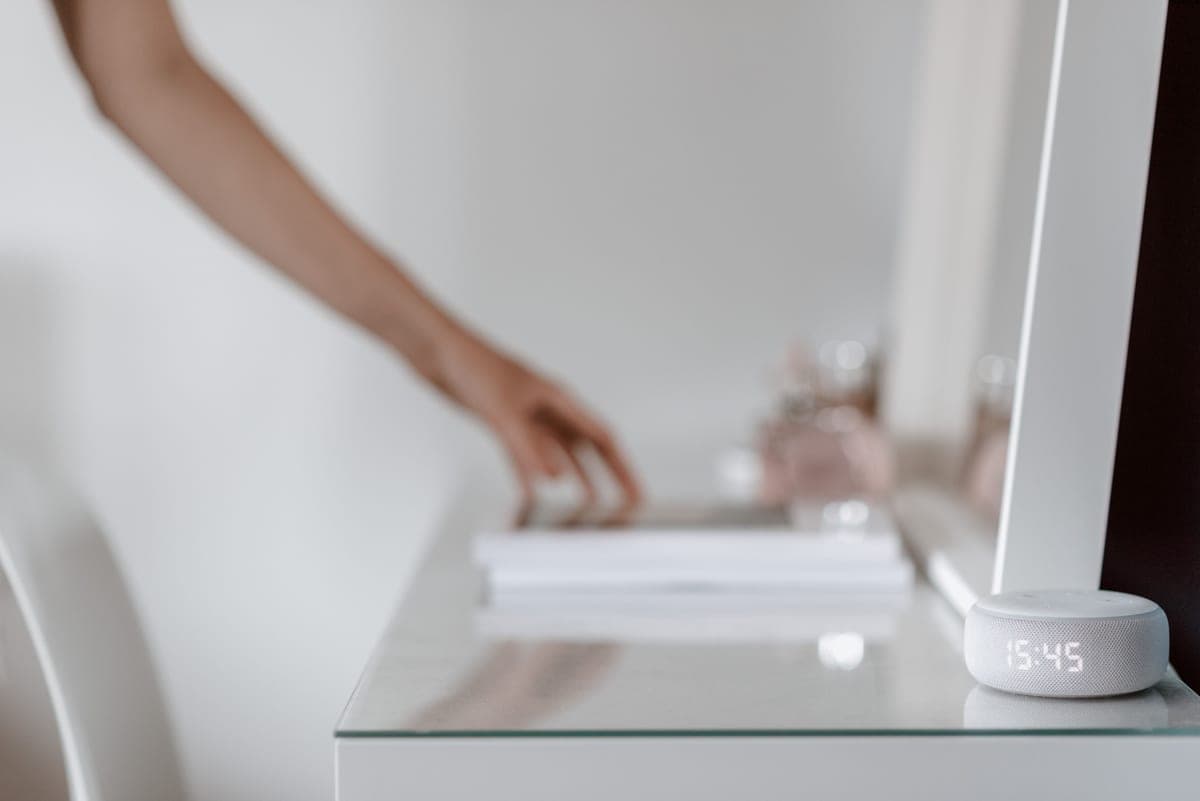
Best voice assistant
Best Alexa devices for seniors
Which Echo to buy for which room, and the settings to change before handing it over.
Read the guide →

Best photo frame
Best digital photo frames for grandparents
Wi-Fi frames ranked by how little the recipient has to do — and which ones hide a subscription.
Read the guide →

Best for the hard-to-buy-for
Gifts for a grandma who has everything
What to give when the cupboards are full — consumables, connection, and irritations removed.
Read the guide →