Best Alexa devices for seniors
A screen model beats a speaker for almost everyone over 75 — it shows the answer as well as saying it.
By Selena H. · Last checked October 13, 2026 · How we keep pages current
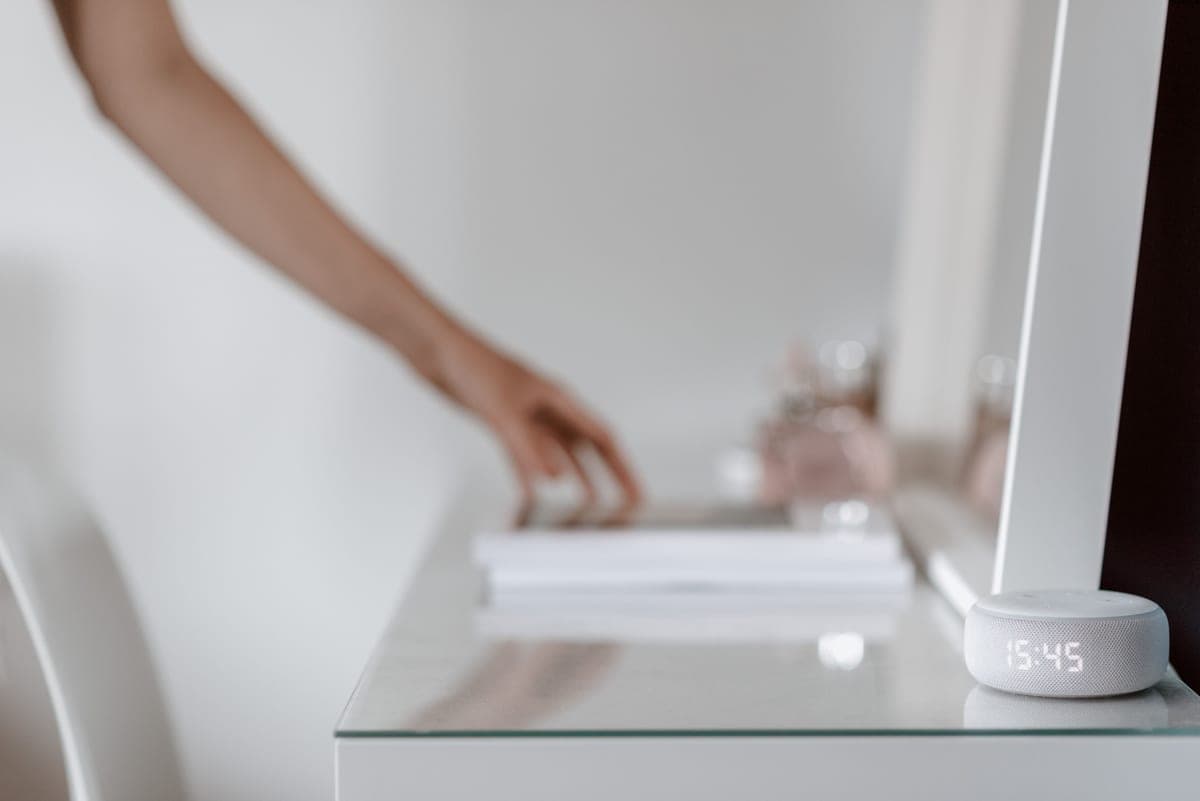
Voice is the most accessible interface ever sold at this price. There is nothing to grip, nothing to read, and no menu to get lost in — you say what you want and it happens. For someone with arthritis and failing eyesight, that combination is rare.
The short answer: buy a model with a screen. It shows the answer as well as saying it, which matters when hearing is imperfect, and it supports video calls, which is the feature families use most.
Two honest cautions. Voice control does not suit everybody, and if it has not landed within two weeks it will not. And these devices are always listening for their wake word, which is a real privacy decision rather than a footnote — make it deliberately, with the person whose home it is.
Some links on this page go to Amazon. If you buy something, we may earn a small commission at no extra cost to you — it never changes which products we pick or the order they appear in. Full disclosure.
Quick picks
Ranked for how little strength, eyesight or patience they need — not for how much they cost.
| # | Product | Best for | Score | Price |
|---|---|---|---|---|
| 1 | Amazon Echo Show 8Big enough to read across a kitchen, loud enough to hear, and the best size for video calls. | The one to buy for most people | 9.1 | Check price on Amazon #ad Prices change daily, so we send you to check today's. How we earn |
| 2 | Amazon Echo Show 5An alarm clock that answers questions, at a size that suits a nightstand. | A bedside table | 8.2 | Check price on Amazon #ad Prices change daily, so we send you to check today's. How we earn |
| 3 | Amazon Echo DotNo screen, but the cheapest way to have Alexa in a second room for timers, radio and reminders. | A second room, cheaply | 7.6 | Check price on Amazon #ad Prices change daily, so we send you to check today's. How we earn |
Tap any row to jump to the full write-up. The price button goes to Amazon.
Pick by what’s hard
Most lists sort by price. That is not how this decision actually gets made, so here it is sorted by the thing that is getting in the way.
- Hands that cannot work a screen
- Amazon Echo Show 8 — voice removes gripping and tapping entirely. Place it where it can be heard from the usual chair.
- Hearing that makes spoken answers unreliable
- Amazon Echo Show 8 — a screen model writes the answer down as well as saying it, which fixes most misheard replies.
- Forgetting medication times
- Amazon Echo Show 8 — voice reminders announced out loud work well for some people. For doses that genuinely must not be missed, use a locked pill dispenser instead.
- Nervous about always-on microphones
- Amazon Echo Dot — a cheap speaker-only unit in one room is a lower-stakes way to try it. Show them the microphone-off button on day one.
How we picked
We don’t run a product lab. Every pick here is chosen by reading the things that actually tell you whether something works for weak hands, poor eyesight or shaky fingers: the manufacturer’s own specifications, the retailer listing, the measurements and weights, and what owners report in their reviews — especially the one-star ones. We read the complaints before the praise.
Prices change constantly, so we send you to Amazon to see today’s price rather than printing a number that goes stale. More about how we choose.
The picks in full
1. Best for the one to buy for most people
Amazon Echo Show 8
Amazon · 9.1/10 on our rubric
#ad Prices change daily, so we send you to check today's. How we earn
Big enough to read across a kitchen, loud enough to hear, and the best size for video calls.
The Show 8 hits the balance: the screen is large enough to read a timer or a photograph from across a room, the speaker is loud enough for someone hard of hearing, and the camera is good enough that a video call does not feel like a compromise.
Day to day it earns its place with small things — a timer set by voice while hands are wet, the weather, a radio station, reminders to take medication. Between those it shows family photographs, which is reason enough on its own.
Good
- Screen shows the answer as well as speaking it
- Good speaker for a hard-of-hearing listener
- Doubles as a photo frame and a video-calling device
Watch out for
- Always listening for its wake word — a real privacy decision
- Needs Wi-Fi and an Amazon account
| Screen | 8-inch class |
|---|---|
| Calling | Video calls and drop-in |
| Between uses | Photo slideshow, clock, weather |
| Privacy | Camera shutter, microphone off button |
How it scores
- Ease of use9.4
- Loud enough8.8
- Video calling9.2
- Value8.6
2. Best for a bedside table
Amazon Echo Show 5
Amazon · 8.2/10 on our rubric
#ad Prices change daily, so we send you to check today's. How we earn
An alarm clock that answers questions, at a size that suits a nightstand.
On a bedside table the Show 5 is excellent: a large clock face, a sunrise alarm, and the ability to ask what time it is without finding glasses. It is also the cheapest way into a screen model.
It is too small to be the main device in the house, and its speaker is modest for someone with hearing loss. Treat it as a second unit.
Good
- Right size for a nightstand
- Large clock face and gentle alarm
- Cheapest screen model
Watch out for
- Speaker is modest for hearing loss
- Screen too small for comfortable video calls
| Screen | 5-inch class |
|---|---|
| Best place | Bedside |
| Extras | Sunrise alarm, clock faces |
| Calling | Video calls, drop-in |
How it scores
- Ease of use9.0
- Loud enough7.2
- Video calling7.4
- Value9.0
3. Best for a second room, cheaply
Amazon Echo Dot
Amazon · 7.6/10 on our rubric
#ad Prices change daily, so we send you to check today's. How we earn
No screen, but the cheapest way to have Alexa in a second room for timers, radio and reminders.
A speaker-only Echo cannot show anything, which rules it out as a main device for most people here. As a second unit in a bedroom or bathroom it is useful: ask for the radio, set a reminder, call for help by voice if the household uses Alexa calling.
Pair it with a screen model elsewhere rather than buying two speakers.
Good
- Inexpensive second unit
- Good for radio, timers and reminders
- Small enough to sit anywhere
Watch out for
- No screen, so answers are audio only
- Not a good choice as the only device
| Screen | None |
|---|---|
| Best place | Second room |
| Good for | Radio, timers, reminders |
| Calling | Voice only |
How it scores
- Ease of use8.6
- Loud enough7.6
- Video calling3.0
- Value9.4
Set these up on day one
- Put it where it will be used — the kitchen counter or beside the usual chair — and plug it in permanently.
- Set the volume high enough to be heard from the next room, and test it.
- Add family to the contact list so calls can be made and received by name.
- Set up a shared photo album so the screen shows family between uses.
- Show them the microphone-off button and the camera shutter, and explain what each does. This is their home.
- Review voice purchasing: turn it off, or set a voice code, so nothing can be ordered by accident.
- Turn off voice recording retention in the Alexa app if they would rather it did not keep anything.
The privacy conversation, properly
These devices listen for a wake word continuously, and send audio to Amazon after they hear it. That is a reasonable trade for many people and unacceptable to others, and it is not your decision to make on someone else's behalf.
Have the conversation plainly: what it listens for, what it keeps, how to turn the microphone off, and how to delete recordings. If drop-in calling is being enabled, be explicit that it lets specific people connect without the call being answered, and agree exactly who gets that permission.
Questions people ask
▸Which Alexa is best for seniors?
An Echo Show 8 for most people: the screen shows answers as well as speaking them, the speaker is loud, and it handles video calls well. An Echo Show 5 suits a bedside; a Dot is for a second room.
▸Is the Echo Show good for elderly users?
Yes, particularly for video calls, reminders and photographs. It needs no grip and no reading, and family can start a call from their end so nobody has to answer in time.
▸Can Alexa call for help in an emergency?
It can call family contacts by voice, and Amazon sells an emergency-assist subscription in some regions. It is not a substitute for a worn medical alert, which works when the person is on the floor in another room.
▸Is Alexa always listening?
It listens locally for the wake word and sends audio after it hears one. The microphone can be switched off with a physical button, recordings can be deleted, and retention can be turned off in the app.
Sources
Read next
Best for video calls
Best tablets and devices for video calling
Devices ranked by how easy it is to answer a call, not by camera resolution.
Read the guide →

Best photo frame
Best digital photo frames for grandparents
Wi-Fi frames ranked by how little the recipient has to do — and which ones hide a subscription.
Read the guide →
Best streaming box
Best streaming devices for seniors
Streaming boxes compared on remote simplicity, menu predictability and set-up burden.
Read the guide →
Best medical alert
Best medical alert systems for seniors
Alerts ranked by where they work and who answers, including no-monthly-fee options.
Read the guide →