Best digital photo frames under $200
Two hundred dollars covers every frame worth buying. The thing to check is not the screen - it is whether the person receiving it has to approve, tap or log in to anything.
By Selena H. · Last checked November 22, 2026 · How we keep pages current
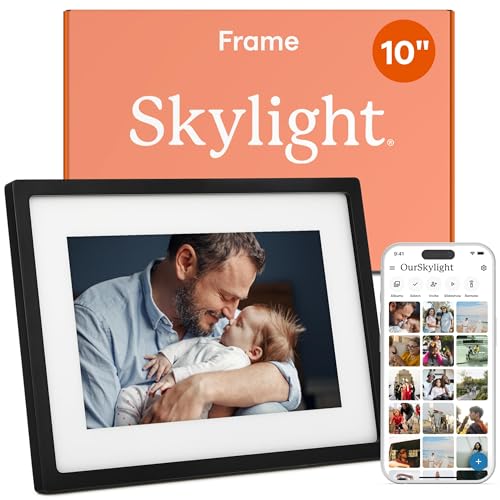
Under two hundred dollars, the frame to buy is the Skylight Frame. Photos arrive by being emailed to an address the frame owns, and they appear on the screen with nobody at the other end touching anything - no app to install, no account to log into, no approval step. That is the whole specification that matters for a frame going to somebody in their eighties, and Skylight is the only product here that gets it that simple. The budget pick is the Kodak Digital Picture Frame at around sixty dollars, which has no Wi-Fi at all and plays photos from an SD card or USB stick - the right answer for a house with no internet.
Every frame worth owning costs less than two hundred dollars, so this is a page about which one rather than about saving money. Four of the five picks here are Wi-Fi frames that receive photos remotely, and the fifth is the card-based option for a house that is not online.
Three things separate a frame that gets used from one that ends up in a drawer. Who does the work: the best frames put all of it on the sender and none on the recipient. Whether anything needs a subscription: some frames charge for extra storage or for features the box implies are included, and that is worth checking before buying rather than after. And screen size and brightness, because a 10-inch screen at a readable brightness across a room is a different object from an 8-inch one on a windowsill.
Prices below come from the live Amazon listing for each frame and carry the date they were checked. We have not owned all of these; the descriptions come from the manufacturers published specifications and what owners report. Our full digital photo frame roundup goes deeper on each one, and our guide to sending photos to a frame covers what the sender actually has to do.
Some links on this page go to Amazon. If you buy something, we may earn a small commission at no extra cost to you — it never changes which products we pick or the order they appear in. Full disclosure.
What to check before you buy
- Does the recipient have to do anything? The best answer is no - photos simply appear
- How do photos get there: an email address the frame owns, a sender's phone app, or a card you post
- Is there a subscription, and for what. Check whether cloud storage or video is extra
- Screen size and resolution. 10 inches is the sweet spot; smaller frames disappear on a sideboard
- Does it need Wi-Fi at all. In a house with no internet, a card-based frame is the only honest option
- Who sets it up. Most Wi-Fi frames need a phone for five minutes at the start - plan who does that
Set the frame up at your house, loaded with photos, before it is given. A frame that arrives already working is a gift; one that arrives needing a Wi-Fi password is a chore.
Quick picks
Ranked for how little strength, eyesight or patience they need — not for how much they cost.
| # | Product | Best for | Score | Price |
|---|---|---|---|---|
| 1 | Skylight Frame (10 inch)The top pick: the frame gets its own email address, photos emailed to it appear on screen, and the recipient never touches a setting. | Nothing for the recipient to do, ever | 9.4 | $109.99 · View on Amazon$139.99(21% off) #ad Price as of November 28, 2026. How we earn |
| 2 |  Aura Carver Digital Photo FrameThe best-looking frame here, with unlimited photo storage and no subscription - photos are sent from the Aura app by whoever is invited. | Unlimited storage with no subscription at all | 9.0 | $139.00 · View on Amazon$149.00(7% off) #ad Price as of November 28, 2026. How we earn |
| 3 | 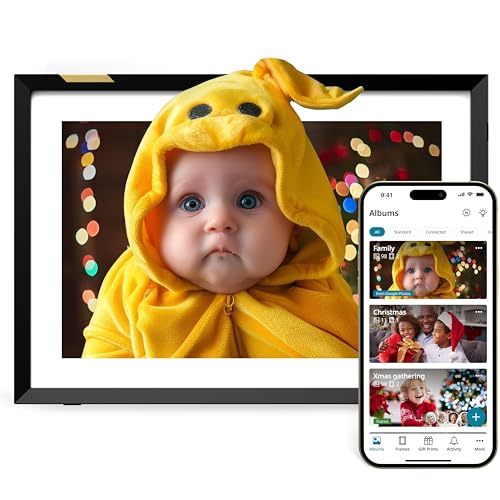 Nixplay Smart Photo Frame (10.1 inch)The most configurable frame here: playlists, scheduled sleep and the ability to pull from cloud albums rather than sending one photo at a time. | Playlists, and sending from existing photo albums | 8.7 | $149.99 · View on Amazon #ad Price as of November 28, 2026. How we earn |
| 4 | 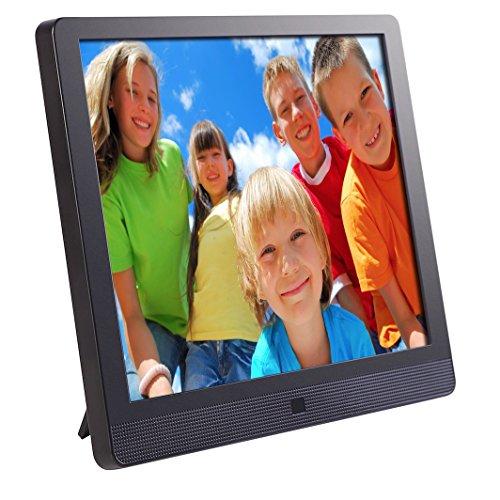 Pix-Star Wi-Fi Photo Frame (10 inch)The one to buy when somebody else needs to run it from another house: full remote management from a web interface, and it also plays from a USB stick. | A frame a relative can manage remotely | 8.6 | $195.08 · View on Amazon #ad Price as of November 28, 2026. How we earn |
| 5 | 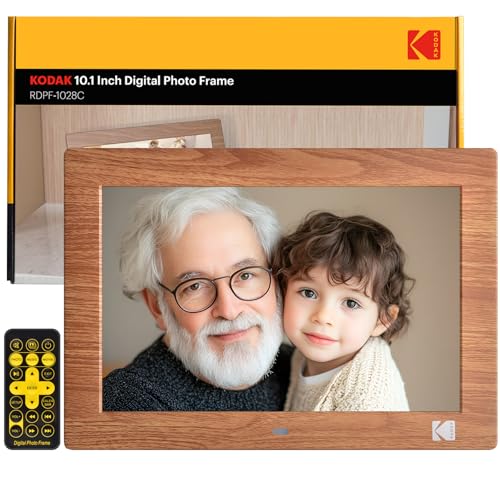 Kodak Digital Picture FrameThe budget pick: around sixty dollars, no Wi-Fi, no account and no app - photos go on an SD card or USB stick and the frame plays them. | A house with no internet at all | 8.2 | $59.99 · View on Amazon #ad Price as of November 28, 2026. How we earn |
Tap any row to jump to the full write-up. The price button goes to Amazon.
Pick by what’s hard
Most lists sort by price. That is not how this decision actually gets made, so here it is sorted by the thing that is getting in the way.
- Will never operate a device, and nobody local can help
- Skylight Frame (10 inch) — buy the frame where photos arrive by email. There is no app on their side, no account and no approval step, so there is nothing that can be left undone.
- No internet in the house
- Kodak Digital Picture Frame — buy a card-based frame and stop looking at Wi-Fi models. A frame that was never connected shows nothing at all, which is worse than a card refreshed twice a year.
- The nearest family member is hundreds of miles away
- Pix-Star Wi-Fi Photo Frame (10 inch) — buy the frame with remote web administration. Fixing a setting from your own kitchen beats describing a menu down the telephone.
- The screen lights the room up at night
- Aura Carver Digital Photo Frame — look for automatic brightness and a frame that sleeps in a dark room. On a frame without it, a bright screen at 3am is why it ends up unplugged.
- Several different sets of photos to show at different times
- Nixplay Smart Photo Frame (10.1 inch) — playlists are the feature you want. One frame can hold the grandchildren, a wedding and a holiday without anything being deleted to make room.
How we picked
We don’t run a product lab. Every pick here is chosen by reading the things that actually tell you whether something works for weak hands, poor eyesight or shaky fingers: the manufacturer’s own specifications, the retailer listing, the measurements and weights, and what owners report in their reviews — especially the one-star ones. We read the complaints before the praise.
Prices change constantly, so we send you to Amazon to see today’s price rather than printing a number that goes stale. More about how we choose.
The picks in full
1. Best for nothing for the recipient to do, ever
Skylight Frame (10 inch)
Skylight · 9.4/10 on our rubric
#ad Price as of November 28, 2026. How we earn
The top pick: the frame gets its own email address, photos emailed to it appear on screen, and the recipient never touches a setting.
Skylight solved this category by making the frame an email address. You send a photo to that address from a phone, a laptop or a webmail page, and it appears on the screen. There is no app the recipient has to install, no account they have to be invited to, and no approval tap. For a frame going to somebody who finds a smartphone confusing, that difference is the entire product.
It also means anybody in the family can send to it without being technical. A grandchild emails a photo from their phone in ten seconds; an aunt who has never used an app emails one from a desktop. Frames that require every sender to install the same app lose half the family, and the frame that nobody sends to stops being looked at.
Two honest notes. The 10-inch screen is the right size for a sideboard or a kitchen counter and is readable across a room; it is not a wall television. And Skylight sells an optional paid plan that adds features such as video and unlimited cloud storage - the frame works entirely without it, but check what you are being upsold at checkout so there is no surprise.
Good
- Photos arrive by email - nothing for the recipient to install or approve
- Any family member can send without being technical
- Touchscreen, but nothing needs touching for photos to appear
- 10-inch screen, readable from across a room
Watch out for
- An optional paid plan exists for video and cloud storage - the frame works without it
- Needs Wi-Fi and a five-minute setup by somebody with a phone
| How photos arrive | Emailed to the frame's own address |
|---|---|
| Screen | 10 inch touchscreen |
| Recipient has to | Nothing |
| Subscription | Optional, for video and cloud storage |
How it scores
- Nothing for them to do9.8
- Easy for senders9.6
- Screen readability8.8
- Value9.0
2. Best for unlimited storage with no subscription at all
Aura Carver Digital Photo Frame
Aura · 9.0/10 on our rubric
#ad Price as of November 28, 2026. How we earn
The best-looking frame here, with unlimited photo storage and no subscription - photos are sent from the Aura app by whoever is invited.
Aura's pitch is that there is no subscription, ever, and storage is unlimited. That is a genuine difference in a category where several competitors meter storage or gate video behind a plan, and over five years it is the cheaper frame even though it costs more today.
It is also the one that looks like furniture rather than equipment. The Carver sits in landscape on a sideboard with a matte display that does not mirror the room, and the frame auto-adjusts brightness and sleeps in a dark room instead of glowing at 3am - which is a small thing that decides whether a frame stays in a bedroom.
The trade against Skylight is the sending route. Photos go through the Aura app, so each family member who wants to send has to install it and be invited to the frame. That is a trivial ask of a daughter and a real barrier for a great-aunt, and it is the reason Skylight takes the top slot for a recipient-first purchase. If the family is app-comfortable, Aura is the nicer object.
Good
- No subscription and unlimited storage
- Matte screen that does not mirror the room, with automatic brightness
- Looks like a picture frame rather than a gadget
- Sleeps in a dark room instead of glowing
Watch out for
- Senders have to install the Aura app and be invited
- The most expensive pick on this page
| How photos arrive | Aura app, from invited senders |
|---|---|
| Screen | 10.1 inch, matte, auto brightness |
| Storage | Unlimited, no subscription |
| Recipient has to | Nothing after setup |
How it scores
- Nothing for them to do9.2
- Easy for senders8.4
- Screen readability9.4
- Value8.6
3. Best for playlists, and sending from existing photo albums
Nixplay Smart Photo Frame (10.1 inch)
Nixplay · 8.7/10 on our rubric
#ad Price as of November 28, 2026. How we earn
The most configurable frame here: playlists, scheduled sleep and the ability to pull from cloud albums rather than sending one photo at a time.
Nixplay is the frame for the family member who wants to curate rather than just send. Photos are organized into playlists, so a frame can run the grandchildren this month and the holiday next month without deleting anything, and it can pull from cloud photo albums rather than needing each image emailed individually.
It also has the most useful scheduling here. The frame can be set to wake at a certain hour and sleep at another, which matters in a bedroom and matters even more for somebody with dementia, where a screen lighting up at night is genuinely disorienting.
The cost of configurability is that somebody has to configure it. There are more settings here than on the Skylight or the Aura, and the person who sets it up needs to actually set it up rather than plugging it in. Nixplay has also historically offered a paid plan for extra cloud features, so check what is included on the listing you buy.
Good
- Playlists, so several sets of photos can live on the frame at once
- Scheduled sleep and wake times
- Can pull from cloud albums rather than one-at-a-time sends
- 10.1 inch screen with a remote on most versions
Watch out for
- More settings to configure than the simpler frames here
- Check which cloud features need a paid plan on the version you buy
| How photos arrive | App, email or cloud album |
|---|---|
| Screen | 10.1 inch |
| Scheduling | Sleep and wake times |
| Recipient has to | Nothing after setup |
How it scores
- Nothing for them to do8.8
- Easy for senders8.6
- Screen readability8.8
- Value8.8
4. Best for a frame a relative can manage remotely
Pix-Star Wi-Fi Photo Frame (10 inch)
Pix-Star · 8.6/10 on our rubric
#ad Price as of November 28, 2026. How we earn
The one to buy when somebody else needs to run it from another house: full remote management from a web interface, and it also plays from a USB stick.
Pix-Star is built around remote administration, which is the feature families actually need and nobody advertises. A relative in another state can log into a web interface and change what the frame is showing, fix a setting, or rebuild the playlist - without talking anybody in their nineties through a menu over the telephone.
That makes it the pick for a recipient who will never operate the frame and for a situation where the nearest competent person is two hours away. It also accepts a USB stick or memory card as well as Wi-Fi, so it keeps working through an internet outage and can be loaded in person during a visit.
The honest reservations are the screen and the interface. The display is not as crisp as the Aura's and the web interface looks like software from a decade ago. Neither affects whether the photos show up, which is the job; both are visible if you are comparing frames side by side in a shop.
Good
- Full remote management from a web interface by a relative elsewhere
- Also plays from USB stick or memory card, so it survives an outage
- Email and web upload as well as app sending
- Long-established product with a stable platform
Watch out for
- Screen is less crisp than the Aura or Nixplay
- Dated web interface - functional rather than pleasant
| How photos arrive | Email, web, app, USB or card |
|---|---|
| Screen | 10 inch |
| Remote admin | Yes, full web interface |
| Recipient has to | Nothing |
How it scores
- Nothing for them to do9.6
- Easy for senders8.8
- Screen readability8.0
- Value8.2
5. Best for a house with no internet at all
Kodak Digital Picture Frame
Kodak · 8.2/10 on our rubric
#ad Price as of November 28, 2026. How we earn
The budget pick: around sixty dollars, no Wi-Fi, no account and no app - photos go on an SD card or USB stick and the frame plays them.
A Wi-Fi frame in a house with no internet is an ornament, and a surprising number of households over eighty do not have broadband at all. This is the frame for that house. Load photos onto an SD card or a USB stick, put it in the back, and the frame plays them in order. Nothing to connect, nothing to log into, nothing that can go wrong at two in the morning.
It is also the right frame where the concern is privacy or where a relative does not want a device on the home network. There is no account, no cloud, and nothing leaving the house.
The limitation is the obvious one: adding new photos means somebody physically handling the card. In practice that means a card posted every few months or refreshed during a visit, which for a frame of family photographs is often perfectly adequate - and it is far better than a Wi-Fi frame that never got connected. Our roundup of photo frames without Wi-Fi covers this whole category, including how to prepare a card so the photos are the right way up.
Good
- Around sixty dollars - the cheapest pick here
- No Wi-Fi, no account, no app, nothing to log into
- Works in a house with no internet
- Nothing on the home network, for a privacy-conscious household
Watch out for
- New photos mean physically swapping or refreshing the card
- Smaller and plainer than the Wi-Fi frames above
| How photos arrive | SD card or USB stick |
|---|---|
| Wi-Fi | None |
| Account | None |
| Recipient has to | Nothing |
How it scores
- Nothing for them to do9.4
- Easy for senders6.0
- Screen readability7.8
- Value9.6
The subscription question, answered plainly
The frames in this category split three ways on money after the purchase. Aura charges nothing ever and gives unlimited storage, which is the cleanest arrangement and part of why it costs more up front. Skylight and Nixplay both sell optional plans that add features - video, unlimited cloud storage, extra tools - and both frames work perfectly well without one, but you will be offered the plan during setup and it is worth deciding in advance rather than clicking through it.
The card-based Kodak has nothing to subscribe to at all, which for some households is the deciding feature rather than a limitation.
What to actually check on the listing before buying: whether video is included, whether there is a photo storage limit, and whether the frame keeps working if a plan lapses. Every frame on this page keeps showing the photos already on it if you never pay anything, which is the important guarantee. A frame that would go blank without a subscription would not be on this page.
Set it up before you give it
- Unbox the frame at your house and connect it to your own Wi-Fi to confirm it works and to run any firmware update.
- Load thirty or forty photos so it has something to show immediately. An empty frame on Christmas morning is a flat moment.
- Set brightness, sleep and wake times, and the slideshow speed. Slower than you think - 30 to 60 seconds a photo reads better than 5.
- Write the frame's email address, or the app invite details, on a card and put it in the box for the rest of the family.
- At the recipient's house, join their Wi-Fi, check a photo arrives while you are standing there, and leave the power lead somewhere it will not be unplugged for a vacuum cleaner.
Ask for the Wi-Fi password in advance. Hunting for a router sticker behind furniture on the day is how a gift turns into an afternoon.
What to spend more than $200 on, if anything
Not a frame. Above two hundred dollars you are buying a larger screen - 15 inches and up - or a commercial digital signage product that is harder to use rather than easier. For a frame on a sideboard, 10 inches is the size that reads across a room without dominating it, and every frame on this page is at or near that.
If there is more money to spend on this problem, spend it on the adjacent thing instead. A tablet set up for video calling lets the grandchildren be seen live rather than in photographs, and our roundup of tablets for video calling covers the ones that can be answered without a password. An Alexa device with a screen does both jobs adequately and takes voice commands, which suits somebody who cannot see a screen well.
And for somebody living with dementia, a frame is often the better buy than any of those at any price. Photographs that simply appear, with no interaction and no decisions, are one of the few pieces of technology that reliably work in that situation - our guide to gifts for seniors with dementia covers why.
Questions people ask
▸What is the best digital photo frame under $200?
The Skylight Frame, because photos arrive by being emailed to an address the frame owns, so the recipient never installs an app, logs in or approves anything. The Aura Carver is the better-looking frame with no subscription at all, and the Kodak at around sixty dollars is the pick for a house with no internet.
▸Do digital photo frames need a subscription?
Not to show photos. Aura charges nothing ever and gives unlimited storage; Skylight and Nixplay sell optional plans that add video and cloud features, and both frames work fully without one. Every frame on this page keeps displaying the photos already on it whether or not you ever pay anything.
▸Which digital photo frame is easiest for an elderly person to use?
The one they do not have to use. Skylight is the simplest in practice: photos emailed to the frame appear on screen with no approval step and nothing for the recipient to install. Pix-Star is close behind and adds remote management, so a relative elsewhere can fix a setting without talking anybody through a menu.
▸Can a digital photo frame work without Wi-Fi?
Yes - card-based frames such as the Kodak play photos from an SD card or USB stick with no internet, no account and no app. That is the right frame for a house with no broadband, and far better than a Wi-Fi frame that never got connected. Adding new photos means handling the card, usually during a visit or by post.
▸What size digital photo frame should I buy?
Ten inches. It is readable from across a room, fits on a sideboard or kitchen counter without dominating it, and is the size every serious frame maker builds around. Eight-inch frames disappear on furniture, and above twelve inches you are paying for screen area rather than for a better frame.
▸How do I send photos to a digital photo frame?
It depends on the frame. Skylight gives the frame its own email address and you email photos to it. Aura and Nixplay use an app that senders install and are invited to. Pix-Star accepts email, a web upload or a memory card. Our guide to sending photos to a digital frame walks through each route from the sender's side.
Sources
Read next
Best photo frame
Best digital photo frames for grandparents
Wi-Fi frames ranked by how little the recipient has to do — and which ones hide a subscription.
Read the guide →
Best without internet
Best digital photo frames that work without Wi-Fi
SD card and USB frames for homes with no broadband, plus who has to maintain them.
Read the guide →
Guide
How to send photos to a digital frame
Setup, sending and the three reasons frames stop updating after the first month.
Read the guide →
Head to head
Aura vs Skylight: which digital photo frame?
The head-to-head: app-based sending versus a frame with its own email address.
Read the guide →
Review
Skylight Frame review
The frame with its own email address — what that solves, and what the optional plan covers.
Read the guide →