Best electronic magnifiers for macular degeneration
When the center of the vision is the part that has gone, screen size and contrast do more than magnification. These are the machines built around that.
By Selena H. · Last checked October 29, 2026 · How we keep pages current

Macular degeneration takes the middle of the picture, not the edges. That is why the usual advice about magnifiers goes wrong for it: a stronger lens makes the letters bigger, but it also makes the missing patch cover more of the line, and past a certain point reading gets harder rather than easier. What helps is a bigger working area, more contrast, and the ability to move text through the part of the vision that still works.
That is what an electronic magnifier does and an optical one cannot. A camera films the page onto a screen, so the image can be enlarged to any size, the colors can be reversed or recolored, and the whole page can be slid under the camera while the eye stays still. Several of them will also read the page out loud, which is the thing that keeps people reading once no amount of magnification is enough.
The uncomfortable part of this category is the price. Serious video magnifiers are medical-grade low-vision equipment, they are usually sold through low-vision dealers rather than general retailers, and the good ones run into four figures. The inexpensive three- and five-inch handheld units sold in general retail are a different product class, and we cover those on our separate magnifiers for low vision roundup - they are genuinely useful for a medication label and genuinely inadequate for reading a book.
We have not tested these in a home, and nobody should buy one from a web page without trying it. Every pick below is confirmed as currently listed for sale on the manufacturer's own store or by a low-vision dealer, and every specification is the manufacturer's published figure. Before any of it, read the section on trying one first - most people who buy well in this category tried three machines in a clinic before choosing.
This is general information about products, not medical advice. Talk to your doctor or occupational therapist about your own situation.
Some links on this page go to Amazon. If you buy something, we may earn a small commission at no extra cost to you — it never changes which products we pick or the order they appear in. Full disclosure.
Quick picks
Ranked for how little strength, eyesight or patience they need — not for how much they cost.
| # | Product | Best for | Score | Price |
|---|---|---|---|---|
| 1 | HumanWare Reveal 16A folding desktop magnifier with a 15.6-inch screen and a sliding reading table - the one that makes sustained reading possible again. | Reading for an hour at the kitchen table | 9.2 | Check price on Amazon #ad Prices change daily, so we send you to check today's. How we earn |
| 2 | Zoomax Snow 12 with OCRA 12-inch portable that scans a page and reads it out - the bridge between magnifying and listening. | When magnification stops being enough and it has to be read aloud | 8.8 | Check price on Amazon #ad Prices change daily, so we send you to check today's. How we earn |
| 3 | Eschenbach visolux DIGITAL XL FHDTwelve inches, 2x to 22x and fourteen false-color modes, with the menus read aloud so the settings are not a barrier. | The widest set of contrast modes, and a spoken menu | 8.8 | Check price on Amazon #ad Prices change daily, so we send you to check today's. How we earn |
| 4 | HumanWare explore 8An 8-inch touchscreen with a near camera and a distance camera, light enough to actually leave the house with. | Carrying it out of the house | 8.6 | Check price on Amazon #ad Prices change daily, so we send you to check today's. How we earn |
Tap any row to jump to the full write-up. The price button goes to Amazon.
Pick by what’s hard
Most lists sort by price. That is not how this decision actually gets made, so here it is sorted by the thing that is getting in the way.
- Reading a book or a newspaper for an hour
- HumanWare Reveal 16 — screen size and a sliding reading table are what make sustained reading possible. Nothing handheld competes for this job.
- Magnification has stopped being enough
- Zoomax Snow 12 with OCR — buy the machine that reads aloud. Being read to is not a defeat; it is how most people with advanced central loss keep reading their own mail.
- Black on white is unreadable but white on black works
- Eschenbach visolux DIGITAL XL FHD — pick on the number and range of contrast modes rather than magnification. Reversed contrast is often the single setting that brings text back.
- Menus and settings cannot be read
- Eschenbach visolux DIGITAL XL FHD — spoken menus mean the user can change their own settings. Without that, every adjustment needs a sighted helper.
- Price tags, menus and departure boards away from home
- HumanWare explore 8 — weight and a distance camera decide this one. A magnifier left at home solves nothing in a store.
- The budget does not stretch to any of these
- ask the eye clinic for a low-vision assessment first. Clinics and charities lend equipment, state agencies for the blind sometimes supply it, and for an eligible veteran the VA's blind rehabilitation service is the route to ask about before spending anything.
How we picked
We don’t run a product lab. Every pick here is chosen by reading the things that actually tell you whether something works for weak hands, poor eyesight or shaky fingers: the manufacturer’s own specifications, the retailer listing, the measurements and weights, and what owners report in their reviews — especially the one-star ones. We read the complaints before the praise.
Prices change constantly, so we send you to Amazon to see today’s price rather than printing a number that goes stale. More about how we choose.
The picks in full
1. Best for reading for an hour at the kitchen table
HumanWare Reveal 16
HumanWare · 9.2/10 on our rubric
#ad Prices change daily, so we send you to check today's. How we earn
A folding desktop magnifier with a 15.6-inch screen and a sliding reading table - the one that makes sustained reading possible again.
Screen size is the specification that matters most for macular degeneration, because the bigger the screen, the more of a line you can see at a usable magnification. HumanWare's spec sheet lists a 15.6-inch 1920 x 1080 display with live magnification from 1x to 45x, which is a wide enough range to cover a newspaper at one end and a medication insert at the other.
Underneath it is an XY reading table - a tray that slides smoothly left-right and front-back. This sounds like a minor accessory and it is the reason a desktop machine beats a handheld one for reading: the eye and the screen stay still while the page moves, instead of the reader hunting for the next line with a camera in their hand.
There are seventeen color contrast modes with adjustable brightness and polarized LED lighting, with white-on-black, black-on-white, yellow-on-black and black-on-yellow as the defaults. For a lot of people with central vision loss, reversing the contrast does more than any amount of zoom - black paper with white text removes the glare that washes out what is left of the central field.
It also folds. HumanWare lists a folded footprint of about 15 by 18.6 by 5.9 inches at 13 pounds, with five to six hours of battery with the light on, so it can be put away between uses and carried to another room or on a visit. That is unusual in desktop magnifiers, which are normally a permanent fixture on a table.
Good
- 15.6-inch full HD screen - the most line of text of anything here
- XY reading table: the page moves, the eyes stay still
- Seventeen contrast modes with adjustable brightness
- Folds flat and runs on battery for five to six hours
Watch out for
- 13 pounds - foldable is not the same as portable in a bag
- HumanWare lists it as contact-for-price rather than publishing one, which usually means a dealer quote
- A desktop magnifier does not help in a supermarket aisle - this is a reading machine
- No built-in reading aloud on the base model; that is a different product tier
| Type | Folding desktop video magnifier (CCTV) |
|---|---|
| Screen | 15.6 in diagonal, 1920 x 1080 (HumanWare) |
| Magnification | 1x to 45x live (HumanWare) |
| Contrast modes | 17 color modes, adjustable brightness |
| Weight | 13 lb, folds to about 15 x 18.6 x 5.9 in |
| Battery | 5 to 6 hours with lighting on |
How it scores
- Usable reading area9.8
- Contrast control9.4
- Portability6.4
- Ease of use9.0
2. Best for when magnification stops being enough and it has to be read aloud
Zoomax Snow 12 with OCR
Zoomax · 8.8/10 on our rubric
#ad Prices change daily, so we send you to check today's. How we earn
A 12-inch portable that scans a page and reads it out - the bridge between magnifying and listening.
There is a point in macular degeneration where no screen is big enough, and the honest answer stops being magnification and becomes audio. The Snow 12's OCR is what makes it the machine to buy if that point is close: it photographs a full page, recognizes the text and reads it aloud, with an adjustable reading speed and a choice of voice.
Dealers list more than twenty languages, full-page scanning and the ability to save documents and export them to a Windows PC. That last part matters more than it sounds - it means letters and bills can be kept and re-read rather than scanned once and lost.
As a magnifier it is a 12-inch full-HD touchscreen with a 13-megapixel camera, listed at roughly 2.5x to 19x on the stand. The stand folds and detaches, so the same machine works propped over a newspaper on a table and held in two hands over a jar label in the kitchen.
The limitations are honest ones. The battery is listed at about two and a half hours, which is short for a reading session plus a day out. OCR accuracy on a glossy magazine or a curled paperback page is never as good as on a flat sheet of printed text. And it is a dealer-sold device at a dealer price - expect a four-figure quote and no retail discounting.
Good
- Reads a full page out loud, with adjustable speed and voice
- 12-inch full HD touchscreen with a detachable folding stand
- Documents can be saved and exported to a computer
- Works as both a tabletop reader and a handheld magnifier
Watch out for
- Battery listed at about 2.5 hours - short for a full day
- OCR struggles with curled pages, glossy stock and handwriting
- Vendors list the magnification slightly differently (2.5x to 19x and 2.7x to 19x), so confirm with your dealer
- Sold through low-vision dealers, so expect a quote rather than a shelf price
| Type | Portable video magnifier with OCR text-to-speech |
|---|---|
| Screen | 12 in full HD touchscreen |
| Magnification | About 2.5x to 19x on the stand (dealer listings) |
| Reading aloud | Full-page OCR, 20+ languages, adjustable speed |
| Battery | About 2.5 hours (Pro listing) |
How it scores
- Usable reading area8.8
- Contrast control8.6
- Portability8.0
- Ease of use8.4
3. Best for the widest set of contrast modes, and a spoken menu
Eschenbach visolux DIGITAL XL FHD
Eschenbach · 8.8/10 on our rubric
#ad Prices change daily, so we send you to check today's. How we earn
Twelve inches, 2x to 22x and fourteen false-color modes, with the menus read aloud so the settings are not a barrier.
Eschenbach's listing for this model gives a 12-inch TFT screen at 1920 x 1080, continuous or stepped magnification from 2x to 22x, true color plus fourteen false-color modes, and LED illumination at three brightness levels. That contrast range is the widest here, and in central vision loss it is the setting people end up adjusting most.
The detail that separates it from its rivals is small and significant: the menus have speech output. On every other magnifier, changing a setting means reading a menu - which is precisely the thing the user cannot do. Here the machine says what it is offering, so the person using it can change their own contrast mode without calling for help.
It can be driven by buttons or by the touchscreen, which matters because touchscreens and unsteady or numb fingertips do not always agree. Dynamic Line Scrolling lets the image be panned horizontally and vertically at high magnification, and there is an HDMI input so an external camera can be added later for seeing across a room.
Battery life is the weak point: older listings quote about two and a half hours with a four-and-a-half hour recharge, and Eschenbach's current page for the model quotes around three hours. Either way it is a machine that lives near an outlet. Confirm the figure for the version your dealer is quoting, because the specification has changed between generations.
Good
- True color plus fourteen false-color contrast modes - the widest range here
- Speech output on the menus, so settings can be changed without reading them
- Buttons as well as a touchscreen
- HDMI input for adding a distance camera later
Watch out for
- Battery life is modest and differs between generations - check which version is quoted
- No OCR reading-aloud of the page itself, only of the menus
- A 12-inch screen is less reading area than a desktop machine
- Dealer-sold, like everything at this level
| Type | Portable video magnifier |
|---|---|
| Screen | 12 in TFT, 1920 x 1080 (Eschenbach) |
| Magnification | 2x to 22x, stepped or continuous |
| Contrast modes | True color plus 14 false colors |
| Speech | Spoken menus (not page OCR) |
| Lighting | LED at three brightness levels |
How it scores
- Usable reading area8.6
- Contrast control9.6
- Portability8.0
- Ease of use8.8
4. Best for carrying it out of the house
HumanWare explore 8
HumanWare · 8.6/10 on our rubric
#ad Prices change daily, so we send you to check today's. How we earn
An 8-inch touchscreen with a near camera and a distance camera, light enough to actually leave the house with.
The best magnifier is the one that is present when the small print appears, and a 13-pound desktop is never in a restaurant. HumanWare lists the explore 8 at 580 grams - about 1.3 pounds - with an 8-inch IPS touchscreen, which is the largest screen that is still realistically carried in a bag.
It has two 21-megapixel cameras: one for reading documents close up and one for distance. The distance camera is the feature that earns its place, because it handles the things a reading magnifier cannot - a departures board, a price above a counter, a street sign - without any of the squinting that normally goes with them.
HumanWare lists magnification from 2x to 30x with autofocus and seventeen customizable color schemes, and four and a half to seven hours of continuous use depending on whether the stand light is on. Seven hours is a genuine day out rather than a trip to the store.
It is also the one model here with a published price rather than a dealer quote, which HumanWare's own store lists at $1,299 - useful as a benchmark for what the dealer-quoted machines above are likely to cost. The trade against the bigger screens is simple: eight inches shows less of a line than twelve or fifteen, so for an hour of reading at a table the desktop wins and this one does not.
Good
- 1.3 pounds with an 8-inch touchscreen - genuinely carryable
- Separate distance camera for signs, boards and menus across a room
- 2x to 30x with autofocus and seventeen color schemes
- Up to seven hours of use on a charge
Watch out for
- Eight inches shows noticeably less of a line than a 12 or 15-inch screen
- Touchscreen-led controls can be awkward with numb or unsteady fingertips
- No OCR reading aloud
- Four-figure price - this is a low-vision device, not a consumer gadget
| Type | Handheld portable video magnifier |
|---|---|
| Screen | 8 in IPS LCD touchscreen (HumanWare) |
| Magnification | 2x to 30x with autofocus |
| Cameras | Two 21 MP - near reading and distance |
| Weight | 580 g / 1.30 lb |
| Battery | 4.5 to 7 hours continuous |
How it scores
- Usable reading area7.6
- Contrast control9.0
- Portability9.4
- Ease of use8.4
Why a pocket magnifier is the wrong tool for this
Macular degeneration damages central vision while leaving the periphery working. The practical effect is a blurred or missing patch sitting exactly where you are looking, which moves with the eyes and therefore cannot be looked around in the ordinary way.
A small magnifier makes letters bigger but keeps the usable window tiny, so the missing patch still swallows most of what is magnified. A large screen does the opposite: it spreads the text out far enough that useful parts of the line fall outside the damaged area and into peripheral vision that still works.
That is the whole argument for spending real money on screen size in this condition, and it is why a five-inch handheld that works beautifully for a cataract or a weak prescription can be a disappointment here. The small ones are still worth owning for labels and price tags - keep one in a pocket and read on a big screen at home.
This page is about reading aids, not treatment. Sudden vision change, new distortion of straight lines, or a dark patch appearing quickly needs same-day medical attention, because some forms of macular degeneration are treatable when caught early.
The four things that decide whether one of these works
- Screen size. More screen means more of a line visible at any given magnification, which is the single biggest factor in whether reading is sustainable rather than merely possible.
- Contrast modes. Reversing black-on-white to white-on-black, or switching to yellow-on-black, often brings text back when magnification alone has stopped working. Count the modes and insist on trying them.
- How the page moves. A desktop machine with an XY table slides the page under a fixed camera; a handheld asks the user to track the line by hand. If hands are unsteady, the table is worth the extra bulk on its own.
- Whether it reads aloud. OCR text-to-speech is the feature that keeps somebody reading their own letters after magnification has run out of room. Not everyone needs it on day one; many people need it eventually.
Magnification range matters far less than the marketing suggests. Nearly every machine here exceeds what is actually usable - 45x on a 15-inch screen shows a couple of characters.
What these cost, and who might pay
There is no comfortable way to say this: serious video magnifiers are expensive, and Medicare generally does not cover low-vision aids, which are usually excluded as they are not considered durable medical equipment in the ordinary sense. Dealers quote rather than publish prices for most of them, and the one model here with a published price - the explore 8 at $1,299 on HumanWare's own store - is a reasonable guide to the level.
Several routes exist that people miss. State agencies for the blind and visually impaired supply equipment in some states, particularly where it supports employment. The Department of Veterans Affairs provides low-vision aids through its blind rehabilitation services to eligible veterans, and it is worth asking even for service that was decades ago. Charities and sight-loss organizations run equipment loan schemes. Vocational rehabilitation programs will fund equipment where the person is working or looking for work.
If none of those apply, buy second-hand through a low-vision dealer rather than a general auction site - dealers refurbish, confirm the model is still supported and will usually still demonstrate it. These machines last a long time and the previous generation is often a far better buy than a new entry-level unit.
Try before you buy - and get an assessment first
Almost everybody who is happy with their video magnifier tried several first. A low-vision assessment is a different appointment from a routine eye test: it measures what functional vision remains, matches magnification to the specific loss, and usually includes a demonstration of equipment.
Ask the optometrist or ophthalmologist for a referral to a low-vision clinic or service. Many clinics keep a cabinet of machines to demonstrate, and some lend them for a week or two at home, which is the only way to find out whether a particular screen size and set of contrast modes actually suits one person's remaining vision.
The same appointment usually introduces eccentric viewing - the trained habit of looking slightly to one side of what you want to see, so the image lands on working retina instead of the damaged center. It costs nothing, it works alongside any magnifier, and it is taught in clinics rather than sold in boxes.
The free things worth doing first
- A proper reading lamp placed over the shoulder and onto the page. More light frequently does more than more magnification, and our lighting guide covers how to position one.
- Talking books, free through the US National Library Service for the Blind and Print Disabled - including the player.
- Large print books and newspapers from the public library, at no charge.
- The accessibility settings already in a phone or tablet: text size, bold text, high contrast, and a camera magnifier mode that costs nothing to try.
- High-contrast changes around the house: a dark plate on a light tablecloth, a white chopping board for dark food, bump dots on the washing machine dial.
- An eye examination if there has not been one in the last year, because some of what gets blamed on macular degeneration is an out-of-date prescription or a treatable cataract sitting on top of it.
Questions people ask
▸What is the best electronic magnifier for macular degeneration?
For reading at a table, the largest screen you can accommodate - a desktop machine with an XY reading table, such as the HumanWare Reveal 16. For somebody whose magnification has stopped being enough, a model with OCR text-to-speech like the Zoomax Snow 12. For out of the house, a light 8-inch handheld.
▸Does Medicare pay for a video magnifier?
Generally not. Low-vision aids are usually excluded from Medicare coverage. Ask instead about your state agency for the blind, the VA's blind rehabilitation service if the person is a veteran, vocational rehabilitation if they are working, and sight-loss charities that lend equipment.
▸How much magnification do I need?
Less than the specification sheets imply. The useful setting is the lowest magnification at which text is readable, because higher magnification shows fewer words and makes reading more tiring. A low-vision assessment will match it to your specific loss far better than guesswork.
▸Are desktop or portable video magnifiers better?
They answer different problems. Desktops give the largest reading area and a sliding table, which is what sustained reading needs. Portables go where the small print is. Many people end up with one of each, and the sensible order is to buy the one for the task that is causing the most frustration now.
▸Can an iPad do the same job?
Partly, and it is worth trying before spending. A tablet's camera magnifier, large text and high-contrast settings cost nothing and help a lot of people. What a tablet does not give is an XY reading table, dedicated physical controls, or a camera positioned over a page hands-free - which is why dedicated machines still exist.
Sources
- HumanWare - Reveal 16 technical specifications
- HumanWare store - explore 8 handheld electronic magnifier
- Eschenbach - visolux DIGITAL XL FHD product page
- National Eye Institute - age-related macular degeneration
- NLS - National Library Service for the Blind and Print Disabled
- VA - blind and low vision rehabilitation services
Read next
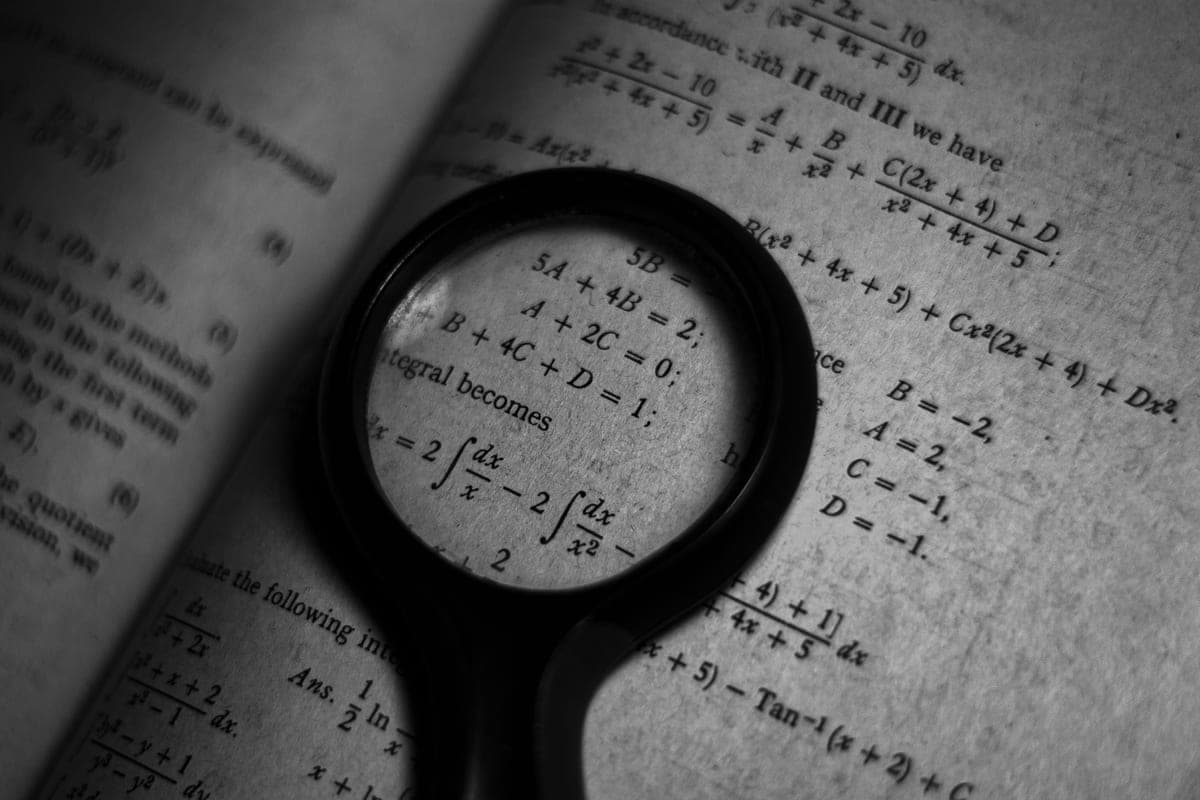
Best magnifier
Best magnifiers for low vision
Optical and electronic magnifiers compared for reading, labels and close work.
Read the guide →
Guide
Reading light setup for low vision
Lamp position, brightness, color temperature and glare — the setup that makes print readable.
Read the guide →
Best big-digit clock
Best big-digit clocks for seniors
Big-digit, day-of-week and talking clocks, picked by whether the problem is eyesight, hearing or memory.
Read the guide →
Best large print keyboard
Best large print keyboards for seniors
Large print keyboards compared on letter size, contrast, backlighting and key feel - with the free settings to try first.
Read the guide →
Best tablet overall
Best tablets for seniors
Tablets compared on setup burden and ongoing support, not spec sheets.
Read the guide →
Best easy-read watch
Best easy-read watches for seniors
Easy-read, talking and day-date watches compared for contrast, clutter and strap ease.
Read the guide →