Best mouse and trackball for seniors
Nobody makes a large print mouse, because the letters were never the problem. The problem is moving the thing accurately and finding the arrow afterwards.
By Selena H. · Last checked November 5, 2026 · How we keep pages current
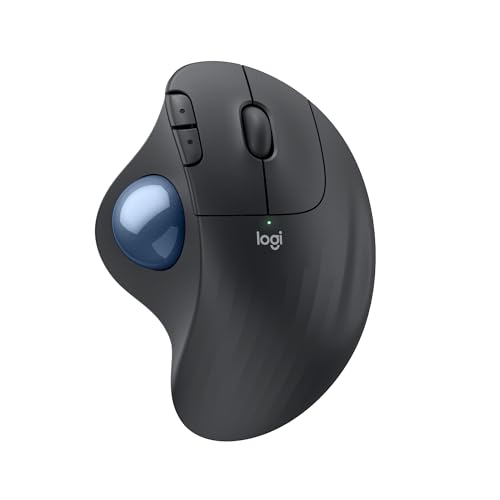
For most people the right answer is the Logitech ERGO M575S, a thumb-operated trackball that never moves on the desk. The hand sits still, the thumb rolls a ball, and the shoulder, elbow and wrist stop doing work they were doing badly. If the hand shakes too much to aim a thumb ball, the AbleNet BIGtrack 2 is the one to buy instead: a three-inch ball with the click buttons placed where a wobbling hand cannot hit them by accident.
Searches for a large print mouse turn up keyboards, and that is not a failure of the search engine. Mice have no letters on them. When somebody over seventy says the mouse has stopped working for them, they almost always mean one of three different things, and each one has a different fix.
Either the arrow on screen cannot be found, which is a settings problem and free to solve. Or the device will not go where it is pointed, which is a device problem and usually means a trackball. Or the clicking itself hurts, which is a button problem and means looking at click force and at the angle the wrist is held at. Buying a new mouse for the first of those three is money wasted, and it is the most common mistake in this category.
Five devices are below, ranked on how much of the pointing work each one takes away from the arm. We have not used any of them; these judgments come from manufacturer specifications, current retailer listings and what owners report, with every figure attributed to whoever actually states it. Availability was checked before publishing.
Some links on this page go to Amazon. If you buy something, we may earn a small commission at no extra cost to you — it never changes which products we pick or the order they appear in. Full disclosure.
Quick picks
Ranked for how little strength, eyesight or patience they need — not for how much they cost.
| # | Product | Best for | Score | Price |
|---|---|---|---|---|
| 1 | Logitech ERGO M575SA trackball that sits still on the desk and is worked with the thumb - the cheapest way to stop pushing a mouse around. | Most people, and the smallest change to learn | 9.0 | $37.98 · View on Amazon$49.99(24% off) #ad Price as of November 28, 2026. How we earn |
| 2 | 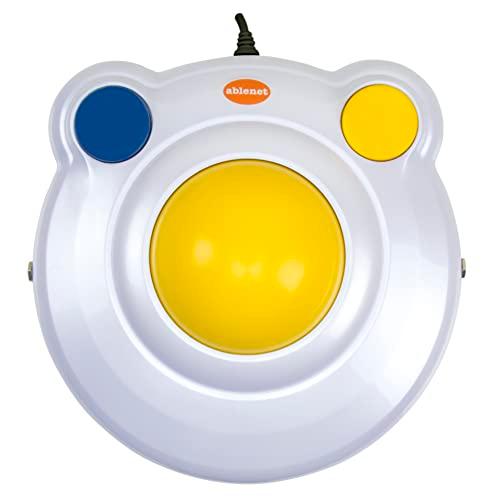 AbleNet BIGtrack 2A three-inch ball with oversized buttons set away from it, so rolling and clicking cannot be confused. | A hand that shakes, or no fine aim left at all | 8.8 | $100.00 · View on Amazon #ad Price as of November 28, 2026. How we earn |
| 3 | 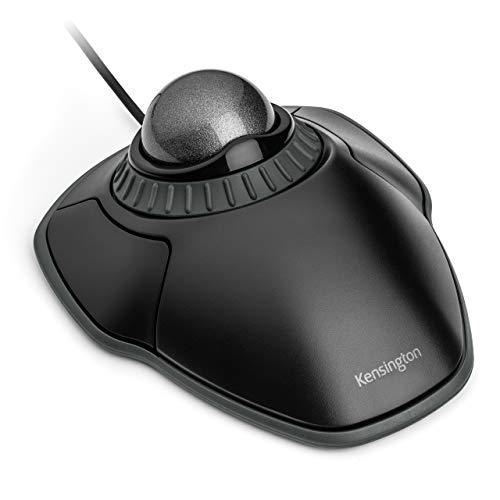 Kensington Orbit Trackball with Scroll RingA symmetrical finger-operated ball with a scroll ring instead of a wheel - and the one trackball a left hand can use. | A sore thumb joint, a left hand, or two people sharing a desk | 8.5 | $36.99 · View on Amazon #ad Price as of November 28, 2026. How we earn |
| 4 | 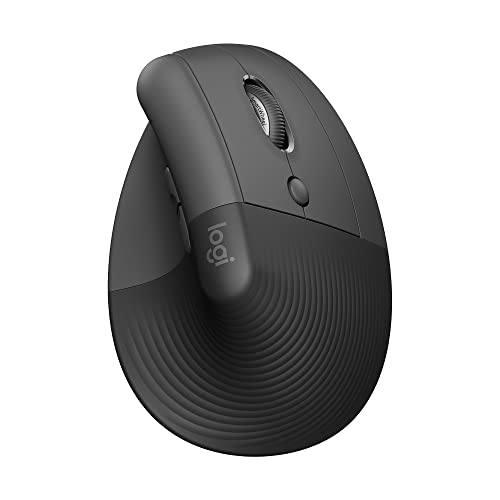 Logitech Lift Vertical Ergonomic MouseStill a mouse, still pushed around the desk - but held in a handshake position instead of palm down. | An aching wrist, when a trackball is a step too far | 7.8 | $52.24 · View on Amazon$79.99(35% off) #ad Price as of November 28, 2026. How we earn |
| 5 | 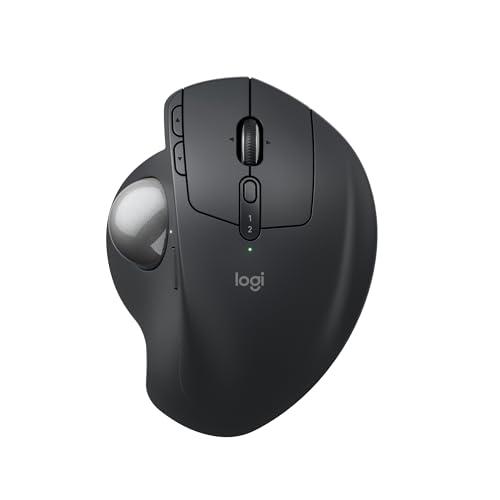 Logitech MX Ergo SThe thumb trackball for somebody who still works at a computer - heavier, quieter, and tilted to whatever angle suits. | Hours a day at the desk, and a tilt you can set yourself | 8.4 | $90.24 · View on Amazon$119.99(25% off) #ad Price as of November 28, 2026. How we earn |
Tap any row to jump to the full write-up. The price button goes to Amazon.
Pick by what’s hard
Most lists sort by price. That is not how this decision actually gets made, so here it is sorted by the thing that is getting in the way.
- The hand shakes, and clicks happen that nobody meant
- AbleNet BIGtrack 2 — the only reliable fix is a device where the ball and the buttons are in different places. Every ordinary mouse puts the shaking hand on top of the button.
- The shoulder or elbow hurts after an hour at the desk
- Logitech ERGO M575S — a trackball removes arm movement entirely. The device stays put and only the thumb works, which is why this is the single biggest change available.
- Arthritis at the base of the thumb
- Kensington Orbit Trackball with Scroll Ring — avoid every thumb ball. A finger-operated ball uses the fingers and palm and leaves the sore joint out of it.
- Left-handed, or two people share the computer
- Kensington Orbit Trackball with Scroll Ring — it is symmetrical, so neither hand is working against the shape. Logitech's Lift Left is the other genuine left-handed option.
- Very little desk space, or a lap tray rather than a desk
- Logitech ERGO M575S — a trackball needs only its own footprint, because it never slides. A mouse needs roughly a sheet of paper of clear space.
- The wrist aches but everything else is fine
- Logitech Lift Vertical Ergonomic Mouse — stay with a mouse and change its angle. A trackball would be solving a problem you do not have.
How we picked
We don’t run a product lab. Every pick here is chosen by reading the things that actually tell you whether something works for weak hands, poor eyesight or shaky fingers: the manufacturer’s own specifications, the retailer listing, the measurements and weights, and what owners report in their reviews — especially the one-star ones. We read the complaints before the praise.
Prices change constantly, so we send you to Amazon to see today’s price rather than printing a number that goes stale. More about how we choose.
The picks in full
1. Best for most people, and the smallest change to learn
Logitech ERGO M575S
Logitech · 9.0/10 on our rubric
#ad Price as of November 28, 2026. How we earn
A trackball that sits still on the desk and is worked with the thumb - the cheapest way to stop pushing a mouse around.
This is the one to start with, and for most households it is the one to finish with too. It looks and sits like an ordinary mouse, so the hand already knows where to go, but the ball under the thumb does the pointing. The device itself never moves. That single fact removes the desk space, the mouse mat, the lifting and repositioning, and the shoulder movement that makes a long session ache.
Logitech states that the sculpted shape reduces forearm muscle strain by 25 percent, and that the clicks on this S revision are 80 percent quieter than the original ERGO M575. The quiet click is worth more than it sounds for anyone using a computer in a room where somebody else is asleep or watching television, and a softer click usually means a lighter one.
Logitech lists three customizable buttons - back, forward and the middle click of the scroll wheel - which matters less for the buttons themselves than for what you can reassign them to. Back and forward are the two commands a browsing reader uses most, and having them under the index finger saves a trip to a small arrow in the corner of the screen.
The reservation is the thumb. A thumb ball asks the base of the thumb to do a small, repeated, slightly twisting movement, and the base of the thumb is exactly where osteoarthritis settles first in most people. If the thumb joint is the sore one, skip this and read the Kensington entry below.
Good
- Never moves on the desk, so the shoulder and elbow stop working
- Looks and sits like an ordinary mouse - very little to relearn
- Logitech states clicks are 80 percent quieter than the ERGO M575
- The cheapest trackball here by a clear margin
- Back and forward buttons under the index finger, both reassignable
Watch out for
- A thumb ball is the wrong choice if the base of the thumb is arthritic
- Right-hand shape only - there is no left-handed version
- Wireless, so there is a battery to think about
- The ball needs lifting out and wiping every few weeks or it starts to stick
| Type | Thumb-operated trackball |
|---|---|
| Moves on the desk | No |
| Buttons | Three customizable, per Logitech |
| Click noise | 80 percent quieter than ERGO M575, per Logitech |
| Handedness | Right hand only |
How it scores
- No desk movement needed9.6
- Aiming with a shaky hand6.8
- Button and click effort8.6
- How little there is to relearn9.0
2. Best for a hand that shakes, or no fine aim left at all
AbleNet BIGtrack 2
AbleNet · 8.8/10 on our rubric
#ad Price as of November 28, 2026. How we earn
A three-inch ball with oversized buttons set away from it, so rolling and clicking cannot be confused.
The BIGtrack is the trackball that assistive technology programs and school therapy rooms hand out, and the reason is the geometry rather than the size. The ball is three inches across, so it can be rolled with a whole hand, a forearm, a fist or an elbow instead of a fingertip. Behind it sit two oversized left and right click buttons, deliberately placed where they cannot be struck while the ball is being moved.
That separation is the whole product. On an ordinary mouse the hand that moves the pointer is the same hand resting on the button, which is why a tremor produces clicks nobody meant to make, and why a dragged icon ends up in a folder it was never aimed at. Splitting the two jobs onto two parts of the device removes the failure entirely.
AbleNet also sells a switch-adapted version with two jacks, so an external switch - a large button pressed with a knee, a head or a foot - can take over the clicking from somebody who cannot press anything with a hand at all. That is an occupational therapy conversation rather than a shopping one, but it is worth knowing the route exists before concluding a computer is out of reach.
Two honest reservations. It costs roughly twice what a consumer trackball costs, because it is sold through specialist and school suppliers rather than at consumer volume. And a three-inch ball has real mass: it is wonderfully forgiving of a shaky hand, and genuinely tiring for a very weak one. If the problem is weakness rather than tremor, the lighter thumb ball is the better buy.
Good
- Three-inch ball can be rolled with a whole hand, fist or forearm
- Click buttons sit away from the ball, so a tremor cannot click by accident
- Plain wired USB - nothing to pair, nothing to charge
- A switch-adapted version exists for anyone who cannot press a button by hand
- Built for school and clinical use, so it survives being dropped
Watch out for
- Around twice the price of a consumer trackball
- A large ball takes real effort to roll if the hand is weak rather than shaky
- Needs a good depth of desk in front of the keyboard
- Looks like equipment, which some people mind
- Sold mainly through assistive technology suppliers rather than general retailers
| Type | Large finger or palm trackball |
|---|---|
| Ball | 3 inches, per AbleNet |
| Buttons | Two oversized, set behind the ball |
| Connection | USB wired |
| Variant | Switch-adapted model with two switch jacks |
How it scores
- No desk movement needed9.6
- Aiming with a shaky hand9.5
- Button and click effort9.2
- How little there is to relearn6.0
3. Best for a sore thumb joint, a left hand, or two people sharing a desk
Kensington Orbit Trackball with Scroll Ring
Kensington · 8.5/10 on our rubric
#ad Price as of November 28, 2026. How we earn
A symmetrical finger-operated ball with a scroll ring instead of a wheel - and the one trackball a left hand can use.
The Orbit is worked with the fingers rather than the thumb, and it is symmetrical, which makes it the obvious pick in two situations the thumb balls cannot cover: a left-handed user, and arthritis at the base of the thumb. It is also the sensible answer when two people share one computer, because neither has to reach across a shape built for the other hand.
Instead of a scroll wheel it has a ring that turns around the ball. Flicking a small notched wheel with one fingertip is a surprisingly demanding movement for a stiff finger; turning a large ring with two or three fingers is not. For anybody who reads long pages - which is most of what a computer gets used for after retirement - that swap matters more than any other difference on this page.
It is the cheapest device here and the simplest. There are two buttons and the ring, and nothing to configure. Kensington sells a wired version, which we would choose for someone who should not have to think about batteries, and a separate wireless one.
Stock is the weak point. Retailer listings for the Orbit come and go and prices swing a long way between sellers, so check the exact model is actually in stock before planning around it. And a scroll ring takes about a week to feel natural - several days of reaching for a wheel that is not there is normal and passes.
Good
- Finger-operated, so the arthritic base of the thumb is left alone
- Symmetrical - works equally well in a left or a right hand
- A scroll ring instead of a notched wheel, far kinder to stiff fingers
- Cheapest device on this page, and the simplest
- A wired version exists, so there is no battery to manage
Watch out for
- Two buttons only, with no back or forward
- Stock and pricing vary a lot between sellers - check before you plan on it
- The scroll ring takes about a week to stop feeling strange
- No wrist rest in the box on the wired model
| Type | Finger-operated trackball |
|---|---|
| Scrolling | Ring around the ball |
| Handedness | Symmetrical, either hand |
| Connection | Wired USB, or a separate wireless model |
| Buttons | Two |
How it scores
- No desk movement needed9.6
- Aiming with a shaky hand7.4
- Button and click effort8.0
- How little there is to relearn7.2
4. Best for an aching wrist, when a trackball is a step too far
Logitech Lift Vertical Ergonomic Mouse
Logitech · 7.8/10 on our rubric
#ad Price as of November 28, 2026. How we earn
Still a mouse, still pushed around the desk - but held in a handshake position instead of palm down.
Some people will not get on with a trackball, and there is no point pretending otherwise. If the hand already knows how to use a mouse and the complaint is a wrist that aches by mid-afternoon, a vertical mouse changes the one thing that is hurting without changing anything else.
Logitech describes the Lift as sitting at a 57 degree angle, which puts the forearm close to the neutral handshake position rather than rolled flat. The flat position is what loads the wrist, and standing the hand up is the fix. Logitech lists it as designed for small to medium hands and sells a separate left-handed model, Lift Left, which is rarer in this category than it should be.
It is worth being clear about what a vertical mouse does not do. It still has to be slid across the desk, so it does nothing for a sore shoulder, nothing for a short reach, nothing for a tremor and nothing for a desk with no space on it. Those are all trackball problems. This solves wrist angle, and only wrist angle.
If the hand is large, this is the wrong size and Logitech's bigger MX Vertical is the one to look at instead. And as with any wireless mouse, there is a battery to keep track of.
Good
- 57 degree angle, per Logitech - the wrist stops being rolled flat
- A genuine left-handed model is sold, not just a symmetrical shape
- Nothing new to learn: it is still an ordinary mouse
- Quiet clicks, and a shape that does not look like equipment
Watch out for
- Still has to be moved across the desk, so it helps nothing above the wrist
- Logitech lists it for small to medium hands - large hands want the MX Vertical
- Does nothing for tremor and nothing for a short reach
- Wireless, so there is a battery to manage
| Type | Vertical mouse |
|---|---|
| Angle | 57 degrees, per Logitech |
| Hand size | Small to medium, per Logitech |
| Moves on the desk | Yes |
| Handedness | Right hand, with a Lift Left model sold separately |
How it scores
- No desk movement needed2.0
- Aiming with a shaky hand4.5
- Button and click effort8.4
- How little there is to relearn9.4
5. Best for hours a day at the desk, and a tilt you can set yourself
Logitech MX Ergo S
Logitech · 8.4/10 on our rubric
#ad Price as of November 28, 2026. How we earn
The thumb trackball for somebody who still works at a computer - heavier, quieter, and tilted to whatever angle suits.
The MX Ergo S is the same idea as the ERGO M575S built properly. The base is hinged and Logitech lists it as adjustable from flat to 20 degrees, which sounds like a detail and is not: the right tilt for one person's wrist is wrong for the next, and being able to set it means one device can suit a hand that changes over the years.
Logitech states the clicks are 80 percent quieter than the previous MX Ergo, and it charges over USB-C rather than running on disposable cells. For anyone who struggles to change a battery in a small compartment, a charging cable is the easier arrangement by some distance.
The honest question is whether anybody buying for a parent needs it. It costs roughly twice what the M575S costs, and the extra money buys build quality, the adjustable hinge and more buttons - not better pointing. Somebody who writes for two hours a day will feel the difference. Somebody checking email twice a week will not.
It is also the heaviest device here and it has more buttons than most people want, which can be a small problem of its own: an unwanted button pressed by accident is confusing in a way that no button at all never is. And like every thumb ball, it asks the base of the thumb to work, so it is the wrong family of device for a thumb joint that already hurts.
Good
- Hinged base adjusts from flat to 20 degrees, per Logitech
- Logitech states clicks are 80 percent quieter than the MX Ergo
- Charges over USB-C - no battery compartment to open
- Clearly the best-built device on this page
Watch out for
- Roughly twice the price of the ERGO M575S for no better pointing
- More buttons than most people want, and easy to press one by accident
- Heavy, which is a drawback if the wrist is weak
- A thumb ball, so wrong for an arthritic thumb joint
| Type | Thumb-operated trackball |
|---|---|
| Tilt | Adjustable 0 to 20 degrees, per Logitech |
| Charging | USB-C rechargeable |
| Click noise | 80 percent quieter than MX Ergo, per Logitech |
| Moves on the desk | No |
How it scores
- No desk movement needed9.6
- Aiming with a shaky hand6.8
- Button and click effort8.8
- How little there is to relearn7.6
How we ranked these
- Does the device have to be moved? Sliding a mouse uses the shoulder and elbow, needs clear desk space, and is the first thing that becomes difficult. A trackball removes it completely, and that is why four of the five picks here are trackballs.
- How forgiving is it of a shaky hand? This is mostly about where the buttons sit relative to the pointing surface. Buttons under the same fingers that are doing the aiming produce clicks nobody intended.
- How much effort does a click take? Click force and click noise usually move together, and a quieter click is generally a lighter one. A wrist held at a flatter angle also has to work harder to press.
- How much is there to relearn? A device that is technically better and never gets used is worth nothing. Anything that looks and sits like the mouse already on the desk has a real advantage over anything that does not.
The usual mouse review ranks on sensor accuracy, polling rate and how many buttons can be programmed. None of that is why a mouse stops working for somebody at eighty. We ranked on four things instead, and they are the four scores shown on every pick above.
What we did not rank on: DPI, polling rate, lighting, software profiles and gaming features. If a page about mice for older adults leads with sensor figures, it was written for a different reader.
The cursor is usually the real problem, and it is free to fix
Before buying anything, spend ten minutes on the pointer itself. A very large proportion of people who say they cannot use the mouse any more mean that they cannot see where the arrow has got to, and no hardware purchase will help with that.
Both Windows and macOS let you make the pointer much bigger than the default, and both let you change its color - a solid black arrow with a white outline, or a bright color that nothing else on screen shares, is far easier to pick out of a page of text than the standard white one. Windows additionally offers a pointer trail and a setting that highlights the cursor when the Ctrl key is pressed; macOS enlarges the pointer temporarily when you shake the mouse quickly.
Both are in the accessibility settings and both are reversible in a second. Try them before you spend a penny, because if the arrow was the problem then a new device will change nothing and the money will have been spent on the wrong half of the complaint.
This is the mouse equivalent of what we say on our large print keyboard page: find out which problem you actually have before buying the solution to a different one.
Trackball, vertical mouse, or stay with an ordinary mouse?
Settings to change before you spend anything
- Make the pointer bigger and change its color. Accessibility settings on both Windows and macOS. This is the single highest-value change on the list and it costs nothing.
- Slow the double-click speed right down. A missed double-click is almost never a hardware fault - it is a timing window set for a thirty-year-old hand. Both systems let you lengthen it.
- Turn on ClickLock on Windows, or Drag Lock on macOS. Both let you start a drag and release the button, so icons and scroll bars can be moved without holding anything down. For an arthritic hand this is the setting that makes dragging possible again.
- Swap the primary button if the mouse has moved to the left hand. One checkbox, and without it everything feels backwards.
- Reduce the pointer speed. A fast pointer magnifies a tremor; a slow one damps it. People habitually have this set far too high and have never thought about it.
- Increase the number of lines each scroll notch moves, so fewer scroll actions are needed to get down a page.
None of this replaces a better device if the arm genuinely cannot do the movement. It is the half-hour of free adjustment that tells you which problem is left to buy for.
Thumb ball or finger ball?
Trackballs split into two families and the choice between them is not a matter of taste. A thumb ball - the ERGO M575S and the MX Ergo S here - puts a small ball where the thumb naturally rests and the device sits in the hand like a mouse. A finger ball - the Orbit and the BIGtrack - puts a larger ball in the middle and is rolled with the fingers or the palm, with the thumb doing nothing at all.
The decision usually comes down to one joint. The base of the thumb, where it meets the wrist, is one of the first places osteoarthritis appears and one of the most common sites of hand pain in older adults. The movement a thumb ball asks for - a small rotation under load, repeated for hours - is exactly the movement that joint does badly. If pressing a car key fob or turning a key in a lock is painful, a thumb ball is the wrong purchase no matter how good the reviews are.
If the thumb is fine, a thumb ball is the easier transition, because the hand sits on it the way it already sits on a mouse. If the thumb is sore, or the hand is weak enough that holding a shape is tiring, a finger ball lets the whole hand rest flat and do the work.
What to check before you order
- Wired or wireless? Wired never goes flat and needs no pairing, and for somebody who finds technology stressful that is worth more than a tidy desk. Wireless means a battery or a charge to stay on top of.
- If wireless, is it a receiver or Bluetooth? A tiny USB receiver is simpler to live with and harder to lose track of than a Bluetooth pairing that occasionally has to be redone.
- Is there a left-handed version, or is the shape symmetrical? Many ergonomic devices are right-hand only, and a right-hand shape in a left hand is worse than the plain mouse it replaced.
- How much desk depth does it need? A large finger ball wants more room in front of the keyboard than people expect.
- Can the ball be taken out for cleaning? Every trackball slows down as skin oil builds up on the support bearings, and the ones that pop out from underneath are a thirty-second job rather than a complaint.
- Is there a return window? Pointing devices are personal and no amount of reading substitutes for a week of using one.
Questions people ask
▸What is the best mouse for seniors?
For most people a trackball rather than a mouse, and the Logitech ERGO M575S is the easiest one to switch to - it sits in the hand like an ordinary mouse but never moves on the desk. If the hand shakes, the AbleNet BIGtrack 2 is the better buy, because its click buttons sit away from the ball where a wobbling hand cannot hit them by accident.
▸Is there such a thing as a large print mouse?
No, and the search usually means one of two other things. If the arrow on screen is hard to find, the fix is free: enlarge and recolor the pointer in accessibility settings. If the keys are hard to read, it is a keyboard you want, not a mouse.
▸Are trackballs better than mice for arthritis?
Usually yes, because the device never has to be slid across the desk, which removes the shoulder, elbow and wrist movement. The exception is arthritis at the base of the thumb: in that case choose a finger-operated trackball such as the Kensington Orbit rather than a thumb ball.
▸How do I stop clicking things by accident when my hand shakes?
Two changes together. Slow the double-click speed down in settings so a shaky second click still registers as a double rather than two separate ones, and move to a device where the pointing surface and the buttons are in different places - which is what the BIGtrack 2 is built for.
▸Is a vertical mouse worth it?
If the only complaint is an aching wrist, yes - standing the hand up in a handshake position takes the strain off. If the complaint is a sore shoulder, a short reach, a crowded desk or a tremor, a vertical mouse changes none of those and a trackball is the right answer instead.
▸How long does it take to get used to a trackball?
Most people are comfortable within a week, and almost nobody goes back. The first two days feel clumsy and the scroll ring on a Kensington takes a little longer than the ball itself. Plan to give it a full week before deciding.
Sources
Read next
Best large print keyboard
Best large print keyboards for seniors
Large print keyboards compared on letter size, contrast, backlighting and key feel - with the free settings to try first.
Read the guide →
Best magnifier
Best magnifiers for low vision
Optical and electronic magnifiers compared for reading, labels and close work.
Read the guide →
Guide
Reading light setup for low vision
Lamp position, brightness, color temperature and glare — the setup that makes print readable.
Read the guide →
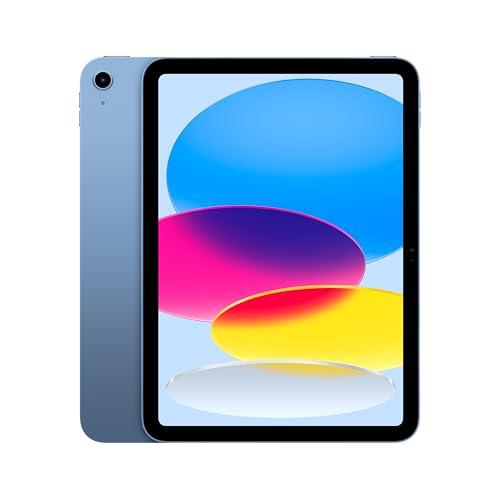
Best tablet overall
Best tablets for seniors
Tablets compared on setup burden and ongoing support, not spec sheets.
Read the guide →
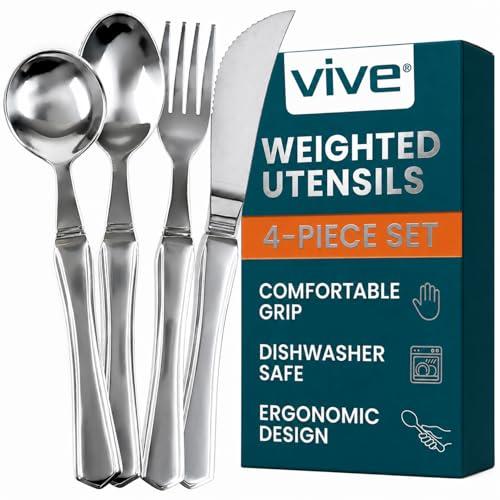
Best for tremor
Best weighted utensils for tremors
Weighted cutlery compared by weight, handle diameter and whether they are dishwasher safe.
Read the guide →
Best for macular degeneration
Best electronic magnifiers for macular degeneration
Desktop and portable video magnifiers for central vision loss, judged on screen size, contrast modes and reading aloud.
Read the guide →