Best fitness trackers for seniors
The one that works is the one that is still charged, still on the wrist, and still readable without glasses.
By Selena H. · Last checked October 17, 2026 · How we keep pages current
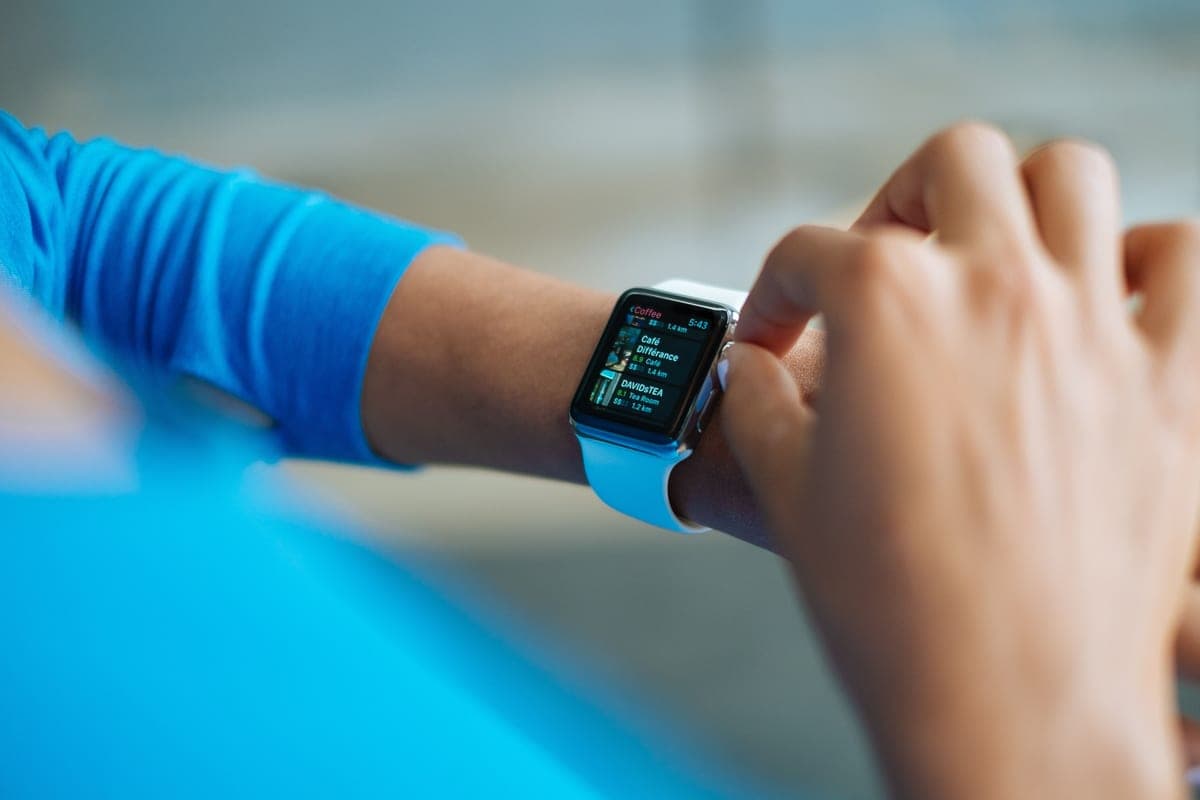
The best fitness tracker for most older adults is the Fitbit Charge 6: the screen is bright and large enough to read at arm's length, the battery runs about a week, and the step count sits on the watch face rather than buried in an app. It suits someone who wants to see how far they walked without learning anything new.
Almost every tracker review ranks on sensor accuracy. That is the wrong test here. A tracker that measures heart rate to within one beat is worthless if the digits are four millimeters tall, the charger has to be lined up exactly, or the first-run setup demands an email address, a password and a phone the person does not own.
So this list is ordered by three things: how readable the display is in a normally lit room, how long it goes between charges, and whether it can be set up and used without a smartphone in the house. Where a model does need a phone, we say so plainly.
This is general information about products, not medical advice. Talk to your doctor or occupational therapist about your own situation.
Some links on this page go to Amazon. If you buy something, we may earn a small commission at no extra cost to you — it never changes which products we pick or the order they appear in. Full disclosure.
Quick picks
Ranked for how little strength, eyesight or patience they need — not for how much they cost.
| # | Product | Best for | Score | Price |
|---|---|---|---|---|
| 1 | Fitbit Charge 6The best balance of a bright, legible display and a battery that only needs attention once a week. | A readable screen and a week of battery | 8.6 | Check price on Amazon #ad Prices change daily, so we send you to check today's. How we earn |
| 2 | Fitbit Inspire 3Lighter and slimmer than the Charge, with a longer battery and a smaller screen as the trade. | A light band you forget you are wearing | 8.3 | Check price on Amazon #ad Prices change daily, so we send you to check today's. How we earn |
| 3 | Standalone Pedometer Watch (no app required)Counts steps on a big LCD, sets up with buttons, and never asks for an account. | No smartphone in the house | 8.4 | Check price on Amazon #ad Prices change daily, so we send you to check today's. How we earn |
| 4 | Samsung Galaxy Fit3A larger display than most bands at this size, with around two weeks between charges. | A big screen on a small band | 8.5 | Check price on Amazon #ad Prices change daily, so we send you to check today's. How we earn |
Tap any row to jump to the full write-up. The price button goes to Amazon.
Pick by what’s hard
Most lists sort by price. That is not how this decision actually gets made, so here it is sorted by the thing that is getting in the way.
- Small print is unreadable
- Fitbit Charge 6 — a bright color screen with a large default watch face. Check that the step count is on the face itself, not one tap deep.
- There is no smartphone in the house
- Standalone Pedometer Watch (no app required) — an app-connected tracker cannot even be activated. A button-set pedometer watch is the only route that works.
- Remembering to charge things
- Samsung Galaxy Fit3 — two weeks between charges turns a nightly chore into a fortnightly one. Pair the charge with something that already happens, like trash day.
- Thin wrists, or a band that catches
- Fitbit Inspire 3 — the lightest band here, and the slim profile does not snag on cardigan sleeves.
- Falls are the real worry
- a fitness tracker is the wrong tool. Read our fall detection roundup - a monitored device calls for help when nobody is home to hear it.
How we picked
We don’t run a product lab. Every pick here is chosen by reading the things that actually tell you whether something works for weak hands, poor eyesight or shaky fingers: the manufacturer’s own specifications, the retailer listing, the measurements and weights, and what owners report in their reviews — especially the one-star ones. We read the complaints before the praise.
Prices change constantly, so we send you to Amazon to see today’s price rather than printing a number that goes stale. More about how we choose.
The picks in full
1. Best for a readable screen and a week of battery
Fitbit Charge 6
Fitbit · 8.6/10 on our rubric
#ad Prices change daily, so we send you to check today's. How we earn
The best balance of a bright, legible display and a battery that only needs attention once a week.
The Charge 6 has a color AMOLED screen that stays readable indoors without squinting, which is the single thing that decides whether a tracker gets looked at or ignored. Raise the wrist and the step count is there; no tapping through menus to find it.
Battery life of around a week matters more than it sounds. A tracker charged nightly becomes a chore and ends up in a drawer; one charged on a Sunday becomes furniture you happen to wear.
It does need a phone for the initial setup and for anything beyond the basics on the wrist. If there is a smartphone in the house, that is a one-time job for a family member. If there is not, pick the standalone pedometer watch further down instead.
Good
- Bright color display readable in an ordinary room
- About a week between charges
- Step count visible on the watch face without tapping
Watch out for
- Needs a smartphone for first setup
- Some features sit behind a paid subscription
| Display | Color AMOLED touchscreen |
|---|---|
| Battery | About 7 days |
| Phone needed | Yes, for setup |
| Band | Buckle strap, swappable |
How it scores
- Screen readability9.0
- Battery between charges8.6
- Setup without help6.5
- Comfort all day8.8
2. Best for a light band you forget you are wearing
Fitbit Inspire 3
Fitbit · 8.3/10 on our rubric
#ad Prices change daily, so we send you to check today's. How we earn
Lighter and slimmer than the Charge, with a longer battery and a smaller screen as the trade.
Weight is the reason trackers come off. The Inspire 3 is light enough that someone with thin wrists or sore joints will leave it on, and the slim band does not catch on sleeves.
The battery runs longer than the Charge 6 because there is less screen to light. The flip side is a narrower display, so the digits are smaller. If eyesight is the binding constraint, go back up a model.
Everything else is the same Fitbit system: steps, sleep, and a gentle reminder to move. The reminders are the quietly useful part for someone who sits for long stretches.
Good
- Very light on the wrist
- Longer battery than the Charge 6
- Simple band that is easy to fasten
Watch out for
- Narrow screen with smaller digits
- Needs a smartphone for setup
| Display | Slim color touchscreen |
|---|---|
| Battery | Up to 10 days |
| Phone needed | Yes, for setup |
| Weight | Among the lightest in the category |
How it scores
- Screen readability7.2
- Battery between charges9.2
- Setup without help6.5
- Comfort all day9.4
3. Best for no smartphone in the house
Standalone Pedometer Watch (no app required)
Various · 8.4/10 on our rubric
#ad Prices change daily, so we send you to check today's. How we earn
Counts steps on a big LCD, sets up with buttons, and never asks for an account.
This is the category nobody reviews and plenty of households need: a watch-shaped step counter with a large segment display, set by pressing buttons, with no app, no pairing and no password. For someone without a smartphone it is the only option that works at all.
The display is usually plain black-on-gray rather than color, which is a readability advantage in bright rooms and a disadvantage at night. Check the listing for a backlight button.
Accuracy is good enough for the job. Nobody needs a step count to three significant figures; they need to know whether today was more or less than yesterday.
Good
- Works with no phone, no app and no account
- Large plain digits
- Set with physical buttons
Watch out for
- No history beyond a few days on most models
- Build quality varies a lot between sellers - read the recent reviews
| Display | Large LCD, often backlit |
|---|---|
| Battery | Weeks to months, often a coin cell |
| Phone needed | No |
| Setup | Buttons on the watch |
How it scores
- Screen readability8.8
- Battery between charges9.6
- Setup without help9.4
- Comfort all day7.6
4. Best for a big screen on a small band
Samsung Galaxy Fit3
Samsung · 8.5/10 on our rubric
#ad Prices change daily, so we send you to check today's. How we earn
A larger display than most bands at this size, with around two weeks between charges.
The Fit3 puts a notably large screen on a band-sized tracker, which is exactly the right compromise for aging eyes. Text is bigger than on the Inspire without the bulk of a full smartwatch.
Two weeks of battery is the longest of the app-connected trackers here. It also has a fall-detection feature, though a dedicated medical alert is still the right answer if falls are the actual worry - our fall detection roundup explains why.
It pairs best with an Android phone. With an iPhone the experience is limited, so a Fitbit is the easier choice in an Apple household.
Good
- Large display for the size
- About two weeks of battery
- Comfortable light band
Watch out for
- Works best with an Android phone
- Fall alerts are not a substitute for a monitored service
| Display | Large color AMOLED |
|---|---|
| Battery | Up to about 13 days |
| Phone needed | Yes - Android preferred |
| Extras | Fall detection, sleep tracking |
How it scores
- Screen readability8.8
- Battery between charges9.4
- Setup without help6.2
- Comfort all day9.0
What to check before you buy
- Whether the step count appears on the watch face by default, or needs a tap and a swipe.
- The charger. A magnetic puck that snaps on beats a clip that has to be lined up precisely.
- Whether a smartphone is required for setup, and whose phone that would be.
- Band fastening - a buckle is easier than a peg-and-hole strap for stiff fingers.
- Water resistance, because the tracker will be worn in the shower sooner or later.
- Whether any feature you care about sits behind a monthly subscription.
Fitness tracker, smartwatch, or medical alert?
Plenty of households buy a tracker hoping it covers the third row. It does not. If the worry is a fall when nobody is home, that is a separate purchase.
Making the step count actually useful
A number on a wrist changes nothing by itself. What changes behavior is comparison, and the easiest comparison is yesterday. Look at the figure once a day, at the same time, and the habit builds itself.
Treat the familiar 10,000-step target with suspicion. It began as the name of a 1960s Japanese pedometer rather than as a research finding, and for someone starting at 1,800 steps it is discouraging rather than motivating.
Set the first goal 500 steps above the current daily average, hold it for two weeks, then add another 500. Progress that slow is the kind that is still happening in six months.
Questions people ask
▸What is the easiest fitness tracker for an older person to use?
A standalone pedometer watch, because it needs no phone, no app and no account - you press a button and it counts. Among app-connected trackers, the Fitbit Charge 6 is the easiest to read day to day.
▸Do fitness trackers need a smartphone?
Most do, at least for the initial setup. Simple pedometer watches do not. If there is no smartphone in the household, check that specific line in the listing before buying.
▸Can a fitness tracker detect a fall?
Some can alert a contact, but that is not the same as a medical alert system with a monitoring center. If falls are the concern, buy a device designed for it rather than relying on a tracker.
▸How many steps a day should an older adult aim for?
Start from your own current average rather than a round number, and add about 500 steps at a time. Ask a doctor about a target that fits your own health.
Sources
Read next
Best easy-read watch
Best easy-read watches for seniors
Easy-read, talking and day-date watches compared for contrast, clutter and strap ease.
Read the guide →
Best fall detection
Best fall detection devices for elderly adults
Devices with automatic fall detection, and a plain account of the limits.
Read the guide →
Head to head
Apple Watch vs a medical alert system
Watch versus monitored pendant, compared on wearing, battery, water and who responds.
Read the guide →
Best walking pad
Best walking pads for seniors
Walking pads ranked on minimum speed, handrail support and step-up height.
Read the guide →
Guide
Chair exercises for seniors
A ten-movement seated routine with safety notes and how to progress it.
Read the guide →