Best fall detection devices for elderly adults
Fall detection catches hard falls well and slow slides poorly. Buy it knowing that, not instead of a button.
By Selena H. · Last checked October 13, 2026 · How we keep pages current
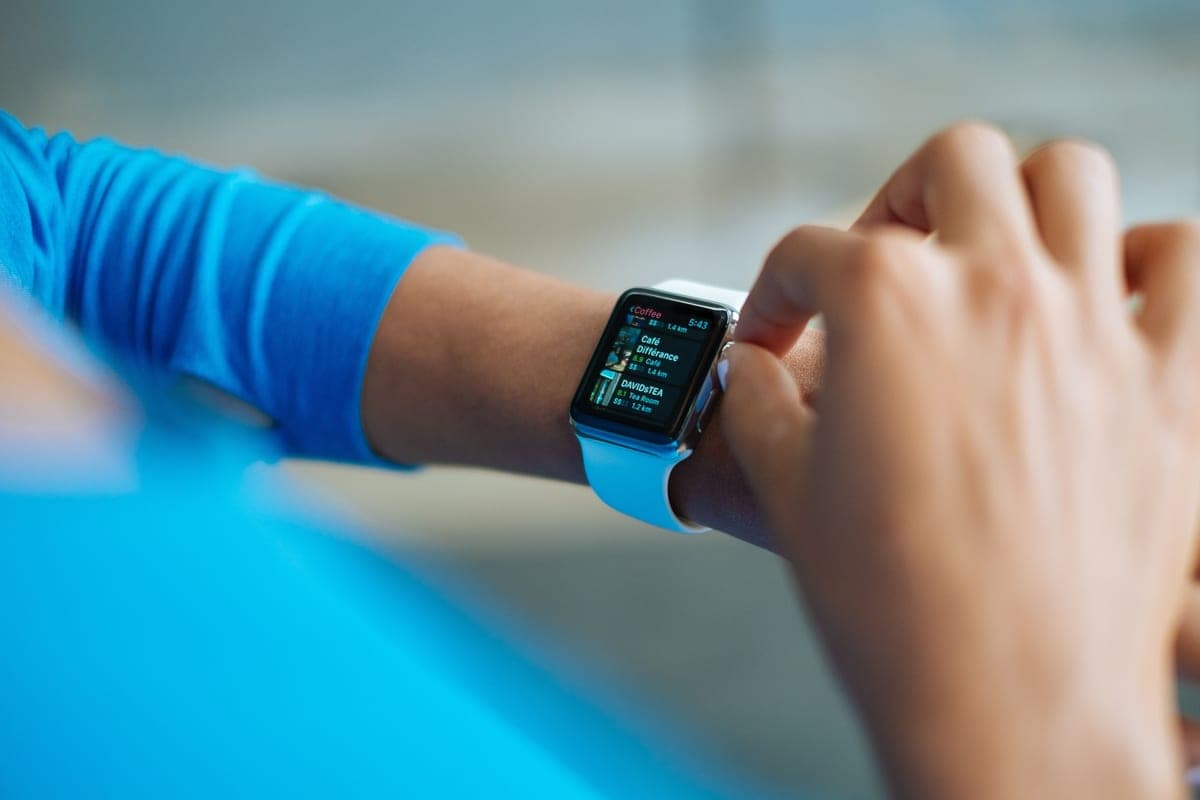
Automatic fall detection is sold as certainty and is not certainty. Every manufacturer's own terms say the same thing in careful language: it may not detect all falls. That is not a scandal, it is physics — the sensors look for a particular signature of sudden acceleration and impact, and plenty of real falls do not produce one.
What it does well is the hard fall: a sudden drop onto a floor, the kind where someone is likely to be unconscious or unable to press anything. That is precisely the scenario a button cannot cover, which is why fall detection is worth having.
What it misses is the slow slide down a wall, the gentle collapse into a chair, and the fall that is broken by a counter on the way down. Treat it as a second layer underneath a button that still gets pressed.
This is general information about products, not medical advice. Talk to your doctor or occupational therapist about your own situation.
Some links on this page go to Amazon. If you buy something, we may earn a small commission at no extra cost to you — it never changes which products we pick or the order they appear in. Full disclosure.
What fall detection catches and misses
Quick picks
Ranked for how little strength, eyesight or patience they need — not for how much they cost.
| # | Product | Best for | Score | Price |
|---|---|---|---|---|
| 1 | Apple Watch SEDetects a hard fall, waits, then calls emergency services and notifies contacts if there is no response. | The best fall detection people will actually wear | 8.9 | Check price on Amazon #ad Prices change daily, so we send you to check today's. How we earn |
| 2 |  LogicMark Guardian Alert 911 PlusBuilt-in fall detection and a direct 911 call, with no subscription behind it. | Fall detection with no monthly fee | 8.4 | Check price on Amazon #ad Prices change daily, so we send you to check today's. How we earn |
| 3 | Daytech Wireless SOS Call Button SystemNo detection at all — but a button on the bathroom wall catches the falls detection misses. | The layer underneath detection | 7.4 | Check price on Amazon #ad Prices change daily, so we send you to check today's. How we earn |
Tap any row to jump to the full write-up. The price button goes to Amazon.
Pick by what’s hard
Most lists sort by price. That is not how this decision actually gets made, so here it is sorted by the thing that is getting in the way.
- Risk of a fall where they cannot press anything
- Apple Watch SE — this is exactly what fall detection is for. Set it up properly, including emergency contacts.
- Cannot or will not pay a monthly fee
- LogicMark Guardian Alert 911 Plus — detection is included rather than an add-on, which is unusual in this category.
- Falls happen in the bathroom
- Daytech Wireless SOS Call Button System — a waterproof worn device plus a wall button beside the bath covers both the detected and undetected cases.
- Previous false alarms have made them stop wearing it
- false alarms usually come from a device worn loosely or dropped. Tighten the fit, and choose a system with a confirmation prompt before it calls.
How we picked
We don’t run a product lab. Every pick here is chosen by reading the things that actually tell you whether something works for weak hands, poor eyesight or shaky fingers: the manufacturer’s own specifications, the retailer listing, the measurements and weights, and what owners report in their reviews — especially the one-star ones. We read the complaints before the praise.
Prices change constantly, so we send you to Amazon to see today’s price rather than printing a number that goes stale. More about how we choose.
The picks in full
1. Best for the best fall detection people will actually wear
Apple Watch SE
Apple · 8.9/10 on our rubric
#ad Prices change daily, so we send you to check today's. How we earn
Detects a hard fall, waits, then calls emergency services and notifies contacts if there is no response.
Apple's implementation is the one most people encounter and it is well judged: after a hard fall the watch taps and asks whether you are all right; if there is no response after a minute it calls emergency services and messages your contacts with a location.
The watch is worn because it is a watch. That is not a small point — the best-specified alert in the world protects nobody from a bedside table.
Enable fall detection explicitly in the Watch app, and set the emergency contacts. Both are easy to leave undone.
Good
- Reliable detection of hard falls, with a sensible wait before calling
- Alerts contacts with a location as well as calling emergency services
- Gets worn daily
Watch out for
- Needs charging every day
- Cellular model and plan required to work independently of the phone
| Detection | Hard falls, with a confirmation prompt |
|---|---|
| Then | Emergency call plus contact alerts |
| Battery | About a day |
| Fee | None for the watch; cellular plan optional |
How it scores
- Detection reliability8.6
- False alarm handling9.0
- Likely to be worn9.4
- Works away from home8.8
2. Best for fall detection with no monthly fee
LogicMark Guardian Alert 911 Plus
LogicMark · 8.4/10 on our rubric
#ad Prices change daily, so we send you to check today's. How we earn
Built-in fall detection and a direct 911 call, with no subscription behind it.
Most fall detection sits behind a monthly add-on charge. This device includes it, works on its own cellular connection, and costs nothing per month.
As with every 911 device, the responder will not know the person. Keep an information card where family and paramedics will find it.
Good
- Fall detection included, no add-on fee
- Own cellular connection
- Two-way voice from the floor
Watch out for
- 911 rather than an operator who knows them
- Must be worn to work
| Detection | Built in (manufacturer listing) |
|---|---|
| Then | Two-way call to 911 |
| Fee | None |
| Battery | Several days (manufacturer listing) |
How it scores
- Detection reliability8.0
- False alarm handling8.0
- Likely to be worn8.2
- Works away from home9.2
3. Best for the layer underneath detection
Daytech Wireless SOS Call Button System
Daytech · 7.4/10 on our rubric
#ad Prices change daily, so we send you to check today's. How we earn
No detection at all — but a button on the bathroom wall catches the falls detection misses.
This is on the page deliberately. The falls that fall detection misses most often — the slow slide, the low fall — are exactly the ones where the person is conscious and can reach for a wall button.
Fit them where falls cluster: bathroom, bedside, bottom of the stairs. They are cheap enough that there is no reason to ration them.
Good
- Covers the falls detection misses
- Very inexpensive
- Nothing to charge or wear
Watch out for
- Requires the person to be conscious and able to reach
- In-home only
| Detection | None — manual button |
|---|---|
| Then | Sounds a receiver in the house |
| Fee | None |
| Best use | Alongside a worn device |
How it scores
- Detection reliability5.0
- False alarm handling9.6
- Likely to be worn9.6
- Works away from home2.0
Reduce false alarms without reducing protection
- Wear it properly: a loose pendant that swings generates more false triggers than a snug one.
- Take it off before activities that mimic a fall — hammering, vigorous cleaning, lifting a heavy box onto a shelf.
- Choose a device that asks before it calls. A 30 to 60 second confirmation window catches almost every false alarm.
- Never punish a false alarm. The moment someone is embarrassed about pressing, the device stops working as protection.
What actually reduces falls
No device prevents a fall. What does reduce them, according to the CDC's fall-prevention guidance, is strength and balance training, a medication review with a doctor or pharmacist, an eye test, decent lighting, and removing trip hazards.
Our balance exercise guide covers the training half, and the home safety checklist covers the rest. Detection is what happens after all that has failed.
This is information about devices, not medical advice. If someone has fallen more than once, a doctor's review of their medication and balance is the most useful next step.
Questions people ask
▸What is automatic fall detection?
Sensors that watch for the acceleration and impact pattern of a fall, then call for help if the wearer does not respond to a prompt. It catches hard falls well and slow slides poorly — manufacturers state it may not detect every fall.
▸Does fall detection work if you faint?
Usually yes if you drop to a hard floor, because that produces the impact pattern sensors look for. A slow collapse into a chair or down a wall often goes undetected.
▸How accurate is fall detection on the Apple Watch?
It is good at hard falls and asks for confirmation before calling, which handles most false alarms. Apple states it may not detect all falls, so it should be a second layer under a button, not a replacement.
▸Does fall detection cost extra?
On most monitored systems, yes — commonly $8 to $12 a month on top. Some no-fee devices and smartwatches include it at no extra charge, which is a large part of their appeal.
Sources
Read next
Guide
What is automatic fall detection?
A plain explanation of how it works, what it catches, and what it misses.
Read the guide →
Best medical alert
Best medical alert systems for seniors
Alerts ranked by where they work and who answers, including no-monthly-fee options.
Read the guide →
Head to head
Apple Watch vs a medical alert system
Watch versus monitored pendant, compared on wearing, battery, water and who responds.
Read the guide →
Guide
Balance exercises to prevent falls
A four-week counter-based progression, and the non-exercise changes that matter as much.
Read the guide →

Best cane
Best canes for balance
Folding, quad and offset canes compared, with the sizing rule that most people get wrong.
Read the guide →