Best tablet holders for seniors
A tablet that has to be held is a tablet that gets put down. The specification that decides this is the weight of the base, not the length of the arm.
By Selena H. · Last checked November 22, 2026 · How we keep pages current
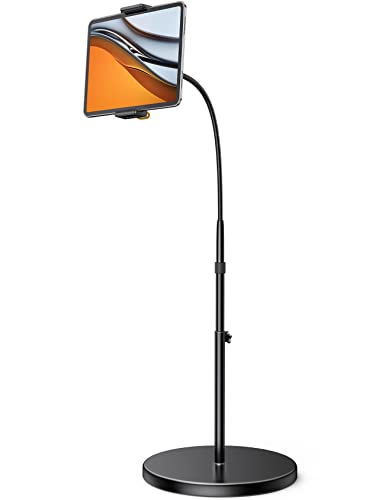
Buy the Lamicall Tablet Floor Stand. It has a 10.6 lb base, which is the figure that matters - a tablet on a stick is a lever, and anything lighter than about ten pounds at the bottom will tip or rock every time the screen is tapped. The height adjusts from 51 to 63 inches, the gooseneck is aluminum rather than coated wire so it holds its position, and the clamp takes anything from 4.7 to 13 inches with a case on. The budget pick is the Lamicall Gooseneck Tablet Holder for Bed at around twenty-two dollars, which clamps to a bed frame or table edge instead of standing on the floor - the right answer where there is something solid to clamp to.
The reason to buy a stand at all is weight. A 10-inch tablet is about a pound, which sounds like nothing and is a great deal after ten minutes held at arm's length by hands with arthritis, a weak shoulder or a tremor. The tablet gets propped on a cushion, slides, and ends up face down on the carpet - and then it stops being used, which is the real cost. A stand holds it at eye level indefinitely and leaves both hands free.
It also fixes the neck. A tablet resting on a lap is read at a steep angle down, which is exactly the posture that produces the stiff neck and shoulder ache people blame on the tablet itself. A stand puts the screen vertical at eye height, which is where it should have been.
Four of the five picks here stand on the floor so they work with any armchair or bed, and the fifth clamps to furniture. Prices come from the live Amazon listing for each stand and carry the date they were checked. We have not used these ourselves; the descriptions come from the manufacturers published specifications and what owners report. Weigh your tablet before buying - several of these have a stated device weight limit and a large iPad Pro in a heavy case exceeds the lightest of them.
Some links on this page go to Amazon. If you buy something, we may earn a small commission at no extra cost to you — it never changes which products we pick or the order they appear in. Full disclosure.
What to check before you buy
- Base weight. Ten pounds or more for a floor stand; under five pounds and it will rock when the screen is tapped
- Device weight limit, against your tablet with its case on. Some stands state 1.5 lb, which rules out a big iPad in a folio
- Clamp range in inches, against the tablet including the case
- Reach. The arm has to come over the arm of the chair or across the bed, not just stand beside it
- Height range, against where the person's eyes are when seated or lying down
- How the tablet goes in and out. A spring clamp that opens with one hand beats a screw fitting
- Whether it needs to move. Casters if it travels between a chair and a bed; a heavy fixed base if it does not
Set the screen so the top of it is at eye level. A tablet read at a downward angle is the usual cause of the neck ache people blame on the device.
Quick picks
Ranked for how little strength, eyesight or patience they need — not for how much they cost.
| # | Product | Best for | Score | Price |
|---|---|---|---|---|
| 1 | Lamicall Tablet Floor StandThe top pick: a 10.6 lb base, height from 51 to 63 inches, and a solid aluminum gooseneck that holds position instead of drooping. | The best balance of weight, reach and build | 9.2 | $53.19 · View on Amazon$69.99(24% off) #ad Price as of November 28, 2026. How we earn |
| 2 | 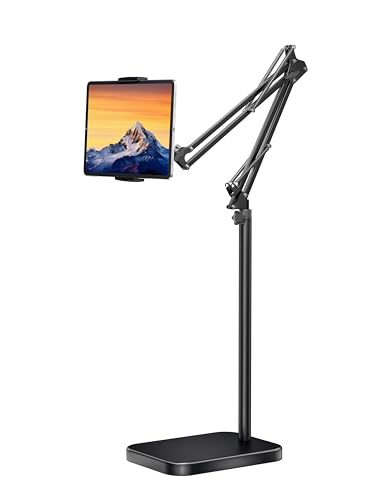 BluuSuuk Tablet Floor Stand (11 lb base)An 11 lb base with a double support structure, rated to hold a 2.64 lb device - the pick for a big tablet in a heavy case. | The heaviest base here, for a large tablet | 9.0 | $55.08 · View on Amazon$69.99(21% off) #ad Price as of November 28, 2026. How we earn |
| 3 | 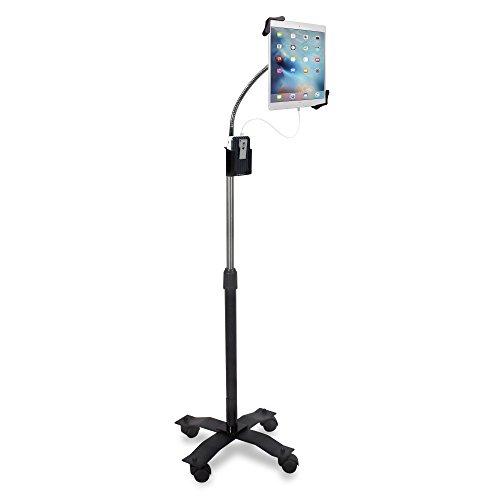 CTA Digital Gooseneck Floor Stand with CastersThe one on wheels: attachable swivel casters, a telescoping pole and a jointed holder - so it rolls to wherever the person is sitting. | A stand that has to move between a chair and a bed | 8.6 | $77.99 · View on Amazon$83.99(7% off) #ad Price as of November 28, 2026. How we earn |
| 4 | 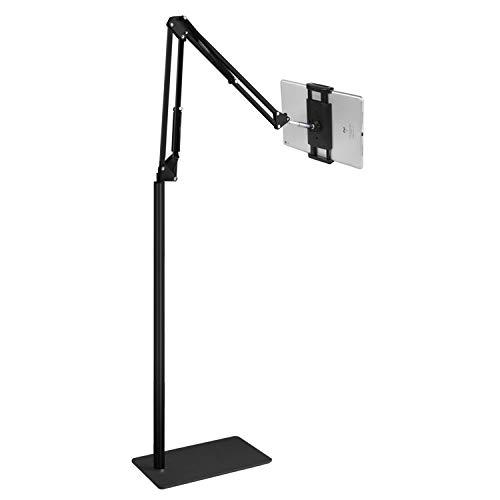 Elekpopu Tablet Floor Stand (5 lb base)The lightest floor stand here at a 5 lb base, with a wide 27.5 to 55 inch height range - for a small tablet, a Kindle or a phone. | A lighter floor stand for a small tablet or a phone | 8.0 | $24.99 · View on Amazon$29.59(16% off) #ad Price as of November 28, 2026. How we earn |
| 5 | 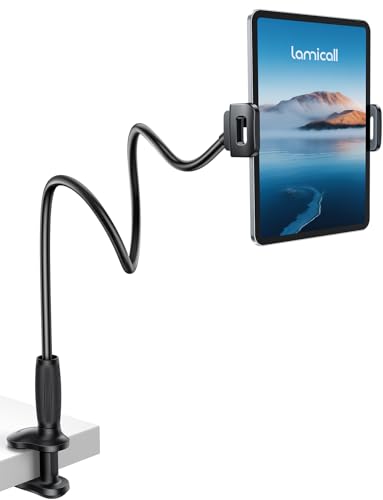 Lamicall Gooseneck Tablet Holder for BedThe budget pick: around twenty-two dollars for a clamp-on gooseneck that grips a surface 0.2 to 3.15 inches thick - no floor space needed at all. | Clamping to a bed frame or table edge, cheaply | 8.1 | $22.99 · View on Amazon$25.99(12% off) #ad Price as of November 28, 2026. How we earn |
Tap any row to jump to the full write-up. The price button goes to Amazon.
Pick by what’s hard
Most lists sort by price. That is not how this decision actually gets made, so here it is sorted by the thing that is getting in the way.
- Hands tire or shake holding a tablet up
- Lamicall Tablet Floor Stand — a heavy-based floor stand takes the weight entirely and holds the screen still, which a cushion on a lap never does. Base weight is the specification - ten pounds or more.
- Reading in bed, looking upward
- Elekpopu Tablet Floor Stand (5 lb base) — check the bottom of the height range, not the top. A stand that only goes down to four feet cannot put a screen where somebody lying down is looking.
- Reads in a chair in the day and in bed at night
- CTA Digital Gooseneck Floor Stand with Casters — buy the stand with casters rather than two stands. Just park it where it will not be leaned on or caught by a walker.
- A large tablet in a heavy case
- BluuSuuk Tablet Floor Stand (11 lb base) — weigh the tablet with the case on and check it against the stand's stated device limit. Several of these are rated to 1.5 lb, which a 12.9-inch iPad in a folio exceeds.
- No floor space beside the chair or bed
- Lamicall Gooseneck Tablet Holder for Bed — clamp to the furniture instead. A clamp-on arm borrows its stability from the bed frame or table and takes up no floor at all, for a quarter of the price.
How we picked
We don’t run a product lab. Every pick here is chosen by reading the things that actually tell you whether something works for weak hands, poor eyesight or shaky fingers: the manufacturer’s own specifications, the retailer listing, the measurements and weights, and what owners report in their reviews — especially the one-star ones. We read the complaints before the praise.
Prices change constantly, so we send you to Amazon to see today’s price rather than printing a number that goes stale. More about how we choose.
The picks in full
1. Best for the best balance of weight, reach and build
Lamicall Tablet Floor Stand
Lamicall · 9.2/10 on our rubric
#ad Price as of November 28, 2026. How we earn
The top pick: a 10.6 lb base, height from 51 to 63 inches, and a solid aluminum gooseneck that holds position instead of drooping.
This is the stand to buy for an armchair. The 10.6 lb base is heavy enough that the whole thing stays put when somebody taps the screen or nudges the arm, which is the single most common complaint about cheaper floor stands - a light base turns every tap into a wobble, and a wobbling screen is harder to read than a hand-held one.
The arm and extension tube are solid aluminum alloy rather than plastic-coated wire, and that is the part that decides how long a stand stays useful. Cheap goosenecks hold their shape for a few months and then start sagging under the weight of the tablet, so the screen slowly tilts toward the floor and has to be re-bent weekly. Aluminum does not do that.
Height runs from 51 to 63 inches, which covers a seated reader in an armchair and most bed positions, and the clamp takes 4.7 to 13 inches with a 360-degree ball joint behind it so the screen can be turned from landscape to portrait without re-bending the arm. The reservation is bulk: a 10.6 lb base is a real object to move between rooms, which is the argument for the rolling stand below if the tablet needs to travel.
Good
- 10.6 lb base - stays put when the screen is tapped
- Solid aluminum arm that holds its position over years
- 51 to 63 inch height, covering a chair or a bed
- 4.7 to 13 inch clamp with a 360-degree ball joint
Watch out for
- Heavy to carry between rooms
- Taller than most tablets need; the lowest setting is still over four feet
| Type | Floor stand, gooseneck |
|---|---|
| Base | 10.6 lb |
| Height | 51.2 to 63 inches |
| Fits | 4.7 to 13 inch devices |
How it scores
- Stays steady when tapped9.4
- Reach over a chair9.0
- One-handed tablet changes8.6
- Build quality9.4
2. Best for the heaviest base here, for a large tablet
BluuSuuk Tablet Floor Stand (11 lb base)
BluuSuuk · 9.0/10 on our rubric
#ad Price as of November 28, 2026. How we earn
An 11 lb base with a double support structure, rated to hold a 2.64 lb device - the pick for a big tablet in a heavy case.
If the tablet is a 12.9-inch iPad Pro in a folio case, this is the stand to choose. Eleven pounds at the base and a double support structure where the arm meets the pole give it the most margin here, and BluuSuuk rates it to hold a 2.64 lb device fully extended - which is comfortably more than the 1.5 lb limit the lighter stands state.
The arm stretches as well as bending, so the screen can be pushed out over the arm of a chair and pulled back when somebody wants to get up, and the holder swivels to face up, down, left, right or forward. The clamp has been deepened to grip a tablet with a case still on it, which is a small thing that matters - taking a case off every time defeats the purpose.
Two reservations against the Lamicall. The arm construction is stated less specifically, so it is harder to judge how it will hold its position over a few years, and the finish is plainer. On raw stability and carrying capacity it is the stronger stand, and if the tablet is big and heavy that is the specification that decides it.
Good
- 11 lb base with a double support structure
- Rated to hold a 2.64 lb device - enough for a big iPad in a case
- Stretchable as well as bendable arm
- Deepened clamp grips a tablet with its case on
Watch out for
- Arm material less clearly specified than the Lamicall
- The heaviest stand here to move
| Type | Floor stand, stretchable arm |
|---|---|
| Base | 11 lb |
| Device limit | 2.64 lb (manufacturer listing) |
| Fits | 4.7 to 13 inch devices |
How it scores
- Stays steady when tapped9.6
- Reach over a chair9.2
- One-handed tablet changes8.8
- Build quality8.6
3. Best for a stand that has to move between a chair and a bed
CTA Digital Gooseneck Floor Stand with Casters
CTA Digital · 8.6/10 on our rubric
#ad Price as of November 28, 2026. How we earn
The one on wheels: attachable swivel casters, a telescoping pole and a jointed holder - so it rolls to wherever the person is sitting.
The practical problem with a ten-pound floor stand is that it stays where it was put, and people do not. Somebody who reads in an armchair in the afternoon and in bed in the evening either needs two stands or needs one that moves, and CTA solves it with attachable easy-rolling swivel casters.
It is also the most mechanically adjustable stand here. The pole telescopes rather than relying on bending a gooseneck, so height changes are a quick positive adjustment rather than a re-shaping exercise, and the holder tilts side to side and rotates a full 360 degrees for portrait or landscape. CTA builds for trade shows and classrooms, so the fittings are more robust than consumer-grade.
The trade for the casters is stability. A stand on wheels does not resist a sideways push the way a heavy flat base does, and it can roll if the floor is not level - so it wants to be parked where it will not be leaned on, and the casters are removable if rolling turns out to be unnecessary. It is also the stand most likely to be caught by a walker or a rollator passing it, which is worth thinking about in a narrow room.
Good
- Attachable swivel casters - rolls between a chair and a bed
- Telescoping pole rather than a bend-it-yourself height change
- Tilts side to side and rotates 360 degrees
- Commercial-grade fittings; casters can be left off
Watch out for
- On wheels it resists a sideways push less than a heavy flat base
- A rolling stand in a narrow room can catch a walker or rollator
| Type | Rolling floor stand, gooseneck |
|---|---|
| Mobility | Attachable swivel casters |
| Height | Telescoping pole |
| Fits | 7 to 13 inch tablets |
How it scores
- Stays steady when tapped7.8
- Reach over a chair9.0
- One-handed tablet changes8.8
- Build quality9.0
4. Best for a lighter floor stand for a small tablet or a phone
Elekpopu Tablet Floor Stand (5 lb base)
Elekpopu · 8.0/10 on our rubric
#ad Price as of November 28, 2026. How we earn
The lightest floor stand here at a 5 lb base, with a wide 27.5 to 55 inch height range - for a small tablet, a Kindle or a phone.
This is the stand for the lighter device and the lower price. The five-pound carbon steel base is half the weight of the picks above, which rules it out for a big iPad but is perfectly adequate for a Kindle, an 8-inch tablet or a phone - and Elekpopu is explicit about the limit: devices 4.7 to 11 inches and under 1.5 lb. Check your tablet against that figure with the case on rather than guessing.
What you get for the money is an unusually wide height range, 27.5 to 55 inches, which is more useful than it sounds. The low end puts a screen at the right height for somebody lying in bed looking up, where a stand that only goes down to four feet cannot. The arm is 360-degree rotatable and the clamp and base positions can be swapped around.
The reservation is the one the weight implies. At five pounds it will rock if the screen is tapped firmly, so it suits reading and watching more than it suits a video call where somebody is reaching out to the screen. Elekpopu also advises keeping the arm and the base pointing the same way, which is a sign that the balance has limits - follow that advice rather than cantilevering the arm sideways over a bed.
Good
- Wide 27.5 to 55 inch height range, including genuinely low settings
- 5 lb metal base, easy to move between rooms
- 360-degree rotatable holder, swappable positions
- Around twenty-five dollars
Watch out for
- 1.5 lb device limit - not for a large tablet in a heavy case
- Will rock if the screen is tapped firmly
| Type | Floor stand, gooseneck |
|---|---|
| Base | 5 lb carbon steel |
| Height | 27.5 to 55 inches |
| Fits | 4.7 to 11 inch devices under 1.5 lb |
How it scores
- Stays steady when tapped7.0
- Reach over a chair8.0
- One-handed tablet changes8.4
- Build quality7.8
5. Best for clamping to a bed frame or table edge, cheaply
Lamicall Gooseneck Tablet Holder for Bed
Lamicall · 8.1/10 on our rubric
#ad Price as of November 28, 2026. How we earn
The budget pick: around twenty-two dollars for a clamp-on gooseneck that grips a surface 0.2 to 3.15 inches thick - no floor space needed at all.
If there is something solid to clamp to, this is the cheapest and tidiest answer on the page. The clamp takes any flat surface between about a quarter of an inch and three inches thick, which covers most bed frames, headboards, bedside tables and desk edges, and because it borrows its stability from the furniture it needs no heavy base and no floor space.
Lamicall has tapered the arm - thicker at the base, thinner at the tip - which is a sensible piece of engineering for a gooseneck: the load is highest where the arm leaves the clamp, so that is where the metal should be stiffest. The company also advises bending it into an S or a loop rather than straight out, because a curved arm is far stiffer than a cantilevered one, and that advice is worth following.
Two honest limits, both stated by Lamicall. There is some wobble while the screen is being used, which is the nature of any clamp-on arm and is why the floor stands take the top slots for somebody with a tremor. And it needs a suitable surface - in an armchair with no side table, there is nothing to clamp to and a floor stand is the only option. Within those limits, it is the best twenty-two dollars on this page.
Good
- Around twenty-two dollars
- Clamps to any flat surface 0.2 to 3.15 inches thick
- Tapered arm - stiffest where the load is highest
- No floor space used at all
Watch out for
- Some wobble while the screen is being tapped
- Needs a solid surface to clamp to - no use beside a bare armchair
| Type | Clamp-on gooseneck holder |
|---|---|
| Clamp | Fits surfaces 0.2 to 3.15 inches thick |
| Rotation | 360 degree clamp, portrait or landscape |
| Fits | 4.7 to 13 inch devices |
How it scores
- Stays steady when tapped7.2
- Reach over a chair7.4
- One-handed tablet changes8.6
- Build quality8.4
Why base weight matters more than arm length
A tablet on the end of an arm is a lever, and a lever multiplies any force applied at the far end. Tap a screen two feet out from the pole and the base feels several times that push - which is why a five-pound base rocks and a ten-pound base does not. Everything else about a stand is adjustable; the base weight is not.
That is the single number to compare when shopping, and it is the one most listings bury. Ten pounds or more for a floor stand holding a full-size tablet; five pounds is enough only for a Kindle or a phone. A stand that does not publish its base weight is usually light.
The second number is the device weight limit, which does get published and does get ignored. Several stands here state 1.5 lb, and a 12.9-inch iPad Pro in a protective folio case is over that. Weigh the actual tablet with the actual case on a kitchen scale before ordering - it takes a minute and it is the difference between a stand that holds position and one that droops by the end of the first week.
Setting it up so it actually gets used
- Sit the person in the chair they will actually use, in their normal position, before touching the stand.
- Set the height so the top of the screen is level with their eyes. Slightly high is better than slightly low - a downward gaze is what causes neck ache.
- Bring the screen to about an arm's length away, then adjust until the text is comfortable at their usual font size.
- Bend a gooseneck into an S or a loop rather than straight out. A curved arm is far stiffer and droops much less.
- Position the pole so the arm comes over the side of the chair rather than across the person's lap, so they can still get up without moving it.
- Check the tablet can be taken out and put back by the person themselves. If it cannot, the stand becomes somebody else's job.
- Route the charging cable along the pole with a clip or a cable tie, so the tablet charges while it sits and nobody trips over a lead.
Leave the tablet in the stand on charge. The commonest reason a tablet stops being used is that it was flat when somebody wanted it.
What a stand fixes, and what it does not
It fixes weight, position and the neck. Those are real problems and they are the reason tablets get abandoned by people who liked them - a device that is uncomfortable to hold after ten minutes becomes a device used for five.
It does not make the tablet easier to operate. If the difficulty is that the interface is confusing, that notifications keep interrupting, or that a password is needed every time, a stand changes nothing - our guide to simplifying a smartphone and our notes on making an iPhone easier cover the settings that do, and the same principles apply on a tablet. If the tablet itself is the wrong one, our tablets for seniors roundup covers which ones have the plainest interfaces.
And it does not solve the video-calling problem. A stand is useful for a call because it holds the camera steady and at face height rather than pointing up somebody's chin, but answering the call still has to be possible - our roundup of tablets for video calling covers the devices and settings that let a call be answered without a password, and our Alexa device roundup covers the ones that can be answered by voice or answer themselves for a trusted contact.
Questions people ask
▸What is the best tablet holder for elderly people?
The Lamicall Tablet Floor Stand, because its 10.6 lb base keeps the screen still when it is tapped and its aluminum arm holds position for years instead of drooping. For a large tablet in a heavy case the BluuSuuk has an 11 lb base and a higher device rating, and if there is a bed frame or side table to clamp to, the Lamicall clamp-on holder does the job for about twenty-two dollars.
▸How heavy should a tablet stand base be?
Ten pounds or more for a floor stand holding a full-size tablet. A tablet on an arm is a lever, so a tap at the screen is multiplied at the base - which is why light stands rock and heavy ones do not. Five pounds is adequate only for a phone, a Kindle or a small tablet.
▸Will a tablet stand hold an iPad Pro?
Some will and some will not, so check the stated device weight limit rather than the screen size. Several stands are rated to 1.5 lb, and a 12.9-inch iPad Pro in a protective case is over that - it will droop. The BluuSuuk on this page is rated to 2.64 lb, which covers it comfortably.
▸Are gooseneck tablet holders sturdy enough?
Within limits. A solid aluminum gooseneck like the Lamicall holds its position for years; cheaper plastic-coated wire arms sag under a tablet within months. Any gooseneck wobbles a little while the screen is being tapped, which is why the heavy floor stands suit somebody with a tremor better than a clamp-on arm. Bending the arm into an S or a loop rather than straight out makes a noticeable difference to stiffness.
▸What is the best tablet stand for reading in bed?
Either a clamp-on holder fixed to the bed frame, which is cheapest and takes no floor space, or a floor stand whose height range goes genuinely low - somebody lying down is looking up, so the bottom of the range matters more than the top. The Elekpopu goes down to 27.5 inches, which most floor stands do not.
▸Does a tablet stand help with neck and shoulder pain?
It helps with the kind caused by looking down at a tablet on a lap for an hour, which is a common and avoidable cause. Set the top of the screen level with the eyes and the head stays neutral instead of bent forward. It will not help with pain from a joint or a nerve problem, which is a question for a doctor rather than a stand.
Sources
Read next
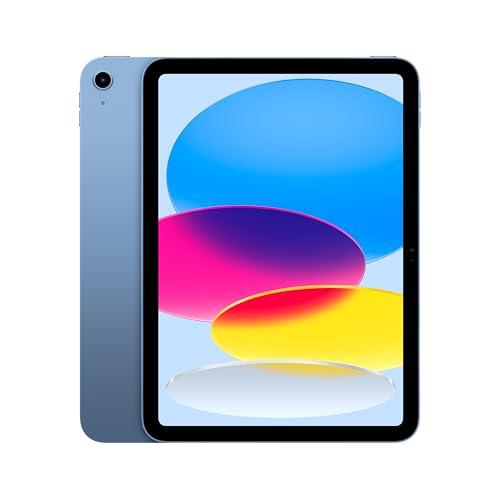
Best tablet overall
Best tablets for seniors
Tablets compared on setup burden and ongoing support, not spec sheets.
Read the guide →
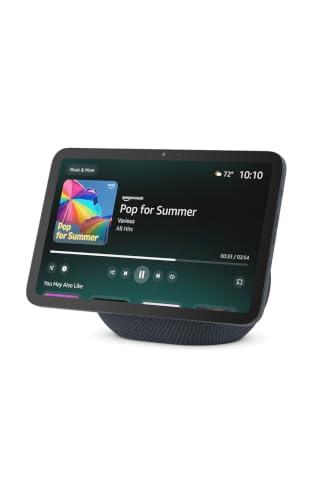
Best for video calls
Best tablets and devices for video calling
Devices ranked by how easy it is to answer a call, not by camera resolution.
Read the guide →
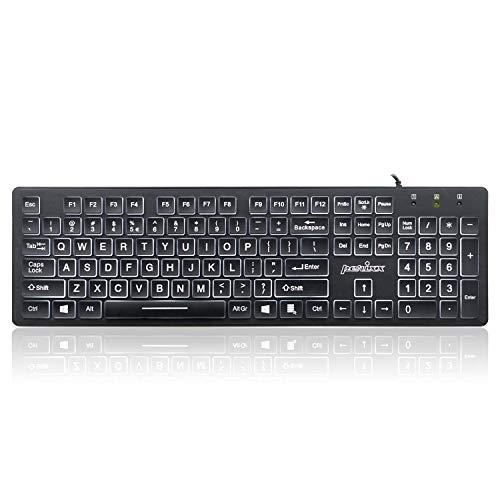
Best large print keyboard
Best large print keyboards for seniors
Large print keyboards compared on letter size, contrast, backlighting and key feel - with the free settings to try first.
Read the guide →
Best mouse or trackball
Best mouse and trackball for seniors
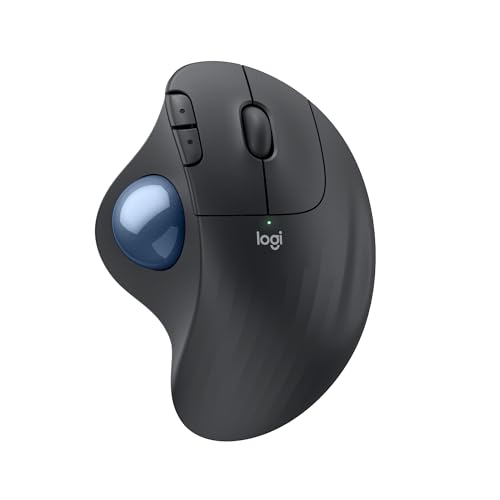
Mice and trackballs compared on desk movement, aiming with a shaky hand and button effort - plus the free pointer settings to change first.
Read the guide →
Guide
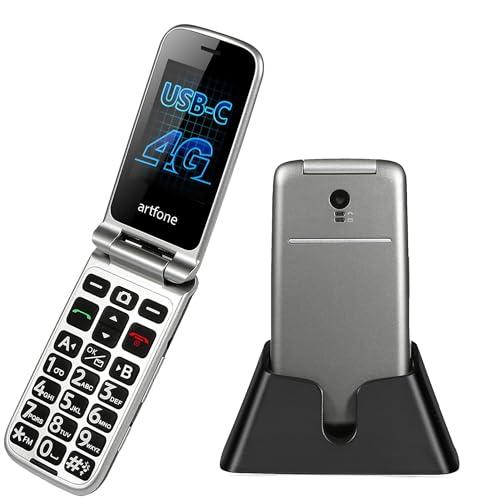
How to simplify a smartphone for someone over 75
The settings that make an ordinary phone behave, in the order worth doing them.
Read the guide →